
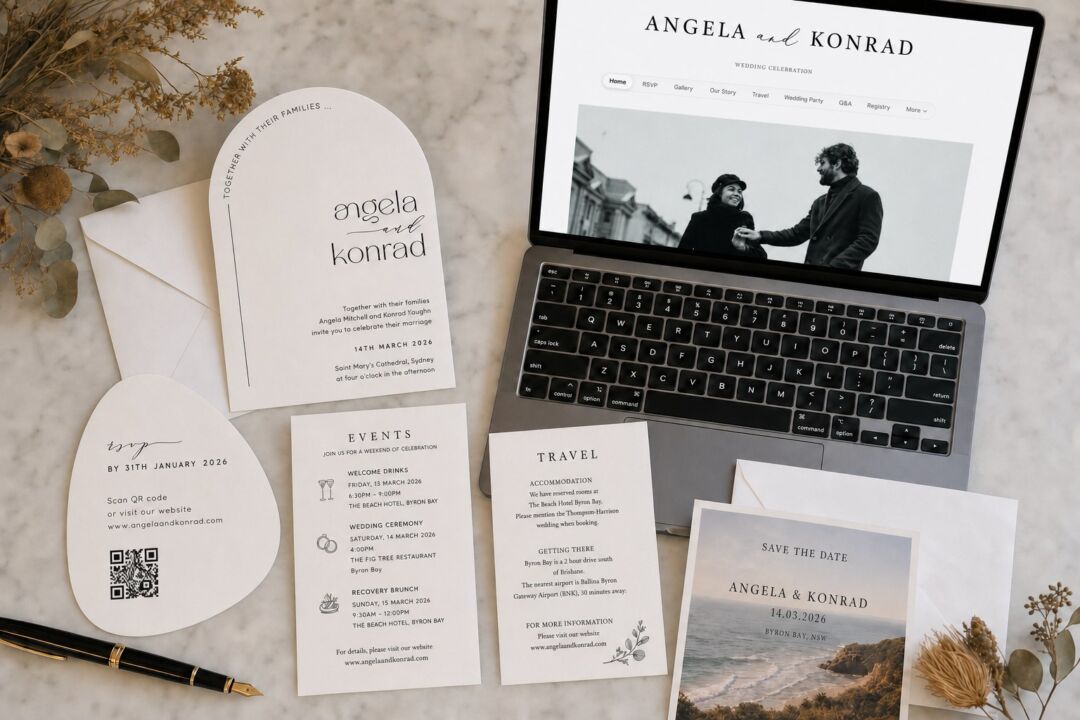
A wedding website is useful. But it does not replace everything, and the couples who learn that late are the ones who get a call from Grandma at 7pm asking where the ceremony is.
The real planning question is not whether to build a wedding website. Assume you will. The question is what belongs there and what still needs to be in your guests’ hands on paper. Get that split right and you will spend less money printing things nobody reads, and you will stop losing guests who never found the website at all.
This guide covers both: what to include on your wedding website, section by section, and the full breakdown of which pieces of information live online, which live on paper, and which need to exist in both places.
At a glance: website vs. paper
| Information | Website | Printed Paper |
|---|---|---|
| Wedding date and ceremony time | Yes | Yes – invitation |
| Ceremony venue and address | Yes | Yes – invitation |
| Reception venue (if different) | Yes | Yes – details card |
| Hotel block and booking code | Yes (full details) | Brief line on details card |
| Registry links | Yes | Never |
| Dress code (full guidance) | Yes | One line on invite |
| Kids and plus-one policy | Yes | No |
| Shuttle and parking info | Yes | Only if critical to arrival |
| Ceremony program | Optional | Yes – day-of handout |
| Your wedding website URL | – | Yes – invitation or details card |
An information card in the envelope is what sends guests to the site in the first place.
What a Wedding Website Is Actually For
A wedding website has three jobs: it holds the information that would make your invitation too long, it updates that information when things change (and things always change), and it gives guests a single place to find answers so they do not text you the week before the wedding.
That is it. It is not a venue portfolio. It is not a scrapbook. It is logistics infrastructure, and it works best when it is fast to navigate and easy to read on a phone.
The honest answer to whether you need one: yes, for almost every wedding. Even a small ceremony with local guests benefits from a central RSVP form and a place to post any last-minute changes. For destination weddings, multi-day events, or a guest list where many people are traveling from out of town, a wedding website is not optional, it is essential.
What it cannot do is reach the guests who will not open it. Every couple has some of those. The website is not the end of the communication plan.
What to Include on Your Wedding Website
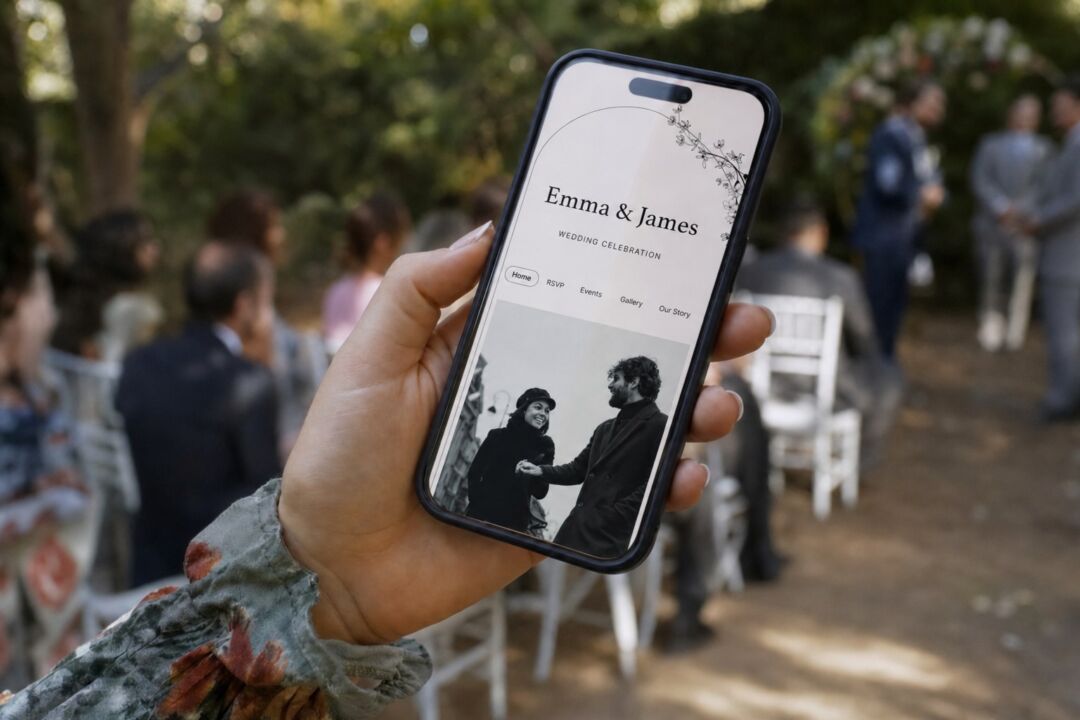
Home page. Your names, the wedding date, a photograph, and a short location line. Keep it scannable. Guests may visit once and screenshot the key details.
Event details. Ceremony time and full venue address, with a map link. Note parking and any gap between the ceremony and reception. If the reception is at a different location, include that address separately with directions.
RSVP. If guests are responding online, make this the most prominent page on the site. Include a respond-by deadline, meal choices if applicable, a field for dietary restrictions, and clear notes on whether children or plus-ones are confirmed or need to be requested.
Travel and accommodation. Hotel block name, booking code, and reserve-by deadline. Two or three nearby alternatives if your block fills. Shuttle pickup times and locations. For destination weddings, add airport transfer options and local transport.
Registry. Links to your registries, a note about a honeymoon fund, or a polite request for no gifts. This belongs on the website and nowhere else in the paper suite. Registry information on a printed invitation is considered poor etiquette in both the US and Australia.
Frequently asked questions. Use this section to cover dress code in full, including color guidance and footwear notes for outdoor venues. Address the kids policy directly. Cover the plus-one question, suggested arrival time, and any question you have already answered twice in the past month.
Optional sections. Your story, engagement photos, wedding party introductions, local restaurant recommendations for out-of-town guests. Personal, not logistical, and they do not need to be complete before the site launches.

What Still Has to Go on Paper
This is the section that planning articles skip. Almost every guide will tell you what to put on a wedding website. Almost none of them write the actual division: what stays on paper, what moves online, and why it matters which side something lands on.
On the printed invitation itself. The formal request to attend, your names, the ceremony date and start time, the ceremony venue name and address, and the RSVP deadline. That is the complete list. The invitation is a statement of intent, not an information document. Keep it short enough to be elegant.
On a printed details card. A details card, sometimes called an information card or enclosure card, is a small printed insert that travels inside the invitation envelope. It is the right place for: the reception venue address if it differs from the ceremony location, a brief accommodation line with the hotel name, a one-line dress code, and, most importantly, your wedding website URL.
The URL is the critical piece. Your wedding website cannot be found unless someone reads the address. A website address tucked at the bottom of the main invitation is easy to miss. A dedicated details card makes the URL prominent, gives older guests the key logistics on paper, and bridges the two communication channels cleanly. The details card is what turns the website from a nice-to-have into something that actually gets visited.
Information cards from Paperlust can be ordered to match your invitation suite in design, paper weight, and print method.
What never goes on printed paper. Registry information, full transportation schedules, the kids policy, or extended dress code guidance. These belong online, where they can be updated and where the length is not constrained by card dimensions.
What has to be in guests’ hands on the day itself. The ceremony program or order of service. The table seating assignment. The printed menu card for a sit-down dinner. These are functional day-of pieces that guests need in hand, not on a screen. A guest should not need to open their phone during a ceremony.
| Piece of Information | Website | Invitation | Details Card | Day-of Paper |
|---|---|---|---|---|
| Wedding date and ceremony time | Yes | Yes | Optional | Program |
| Ceremony venue and address | Yes | Yes | Optional | – |
| Reception venue (if different) | Yes | If space allows | Yes | – |
| Hotel block details | Yes (full) | No | Brief mention | – |
| Registry links | Yes | Never | Never | – |
| Dress code | Yes (full detail) | One line | One line | – |
| Kids policy | Yes | No | No | – |
| Shuttle and parking | Yes | No | Only if critical | – |
| Ceremony order / program | Optional | No | No | Yes |
| Your website URL | – | Yes | Yes (prominently) | – |

The URL printed on a save the date is what drives traffic to the site for the next six months.
When to Launch Your Wedding Website
Launch before you mail anything. The save the date is typically the first piece that carries your wedding website URL, so the site needs to be live and functional before save the dates go out.
A practical timeline:
- 12 to 18 months out: Set up the site. Add your date, general location, and a holding page if the full details are not finalized yet.
- 8 to 12 months out: Full launch with travel and accommodation info for destination or multi-state weddings. Mail save the dates at this point for destination weddings.
- 4 to 6 months out: RSVP form, registry links, and full logistics live when invitations go out for local weddings.
- 6 to 8 weeks before: Final update pass. Add parking and shuttle details. Update the FAQ with questions guests have already asked. Confirm that hotel block booking deadlines are accurate.
Save the dates typically go out 6 to 9 months ahead for destination weddings and 4 to 6 months ahead for local ones. If the site is not ready by that point, either delay the mailing slightly or launch a minimal page with just the date and a “full details coming soon” note rather than a broken or empty URL.
Browse save the date designs if you want a design that works with both a printed website URL and a QR code alongside it.
Privacy Settings, Password Protection, and RSVPs
Password protection. Most wedding website builders let you lock the site with a password. This limits access to guests who received the invitation and know the code. The trade-off is that guests forget passwords, and you will end up resetting access for a handful of people in the weeks before the wedding. A reasonable middle path: keep the site public but avoid using full legal surnames in the URL slug, which reduces the likelihood of it appearing in general searches.
What not to post publicly. Do not publish a home address or parents’ address on the website. If you are redirecting physical gifts to a mailing address, use a PO box or a coordinator’s address.
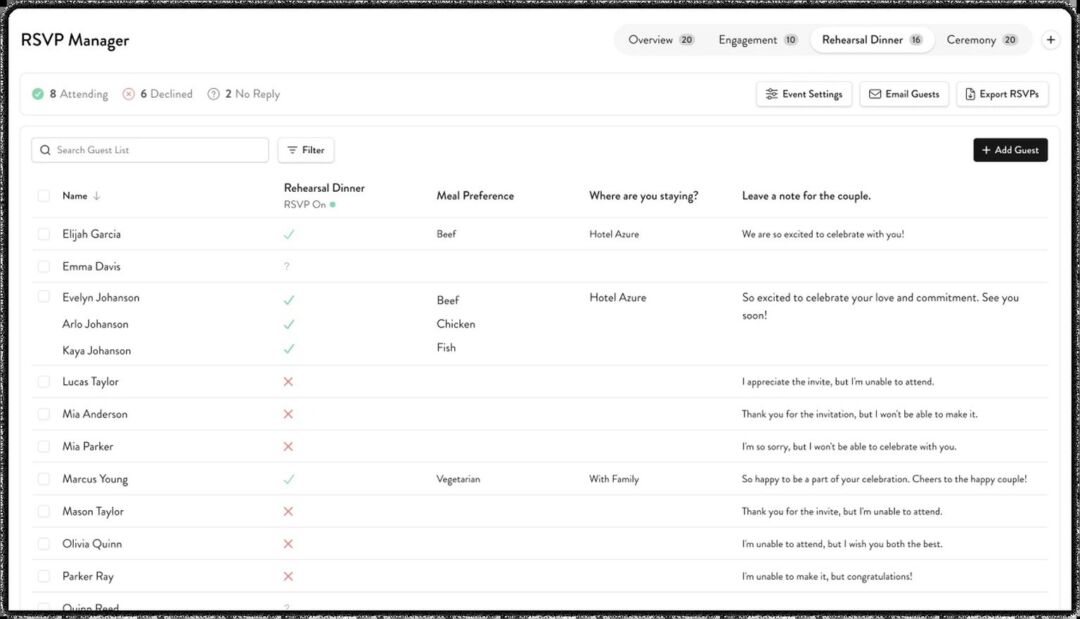
RSVP handling. Online RSVPs track responses faster, avoid the cost of return envelopes, and make it straightforward to collect meal choices and dietary needs in one place. The practical downside: not every guest responds online, and you will almost certainly need to follow up by phone or message with a portion of your list regardless of which method you use.
For larger guest lists, a hybrid approach works well. Offer an online RSVP form as the primary option and include a physical RSVP card for guests who prefer it. If you print a paper RSVP card, include a clear respond-by date and a numbered line so you can match responses to your guest list if names are left blank.
Information and details cards that carry your URL into the envelope. The $5 sample pack puts seven designs and an envelope in your hands, including real foil and letterpress, so you judge paper and finish off a screen.
Frequently Asked Questions
Do I really need a wedding website if my wedding is small? For a small, local wedding with fewer than 40 guests, you can manage without one if the invitation covers the essentials and everyone is local. But even small weddings benefit from a central RSVP and a place to post any last-minute changes. Basic wedding websites take a few hours to set up and the logistics payoff is real.
Should I put my registry on my invitation? No. This is a firm etiquette point in both the US and Australia: registry information does not belong on a printed invitation or in the envelope suite. Post your registry links on the wedding website and let family pass the word to close relatives verbally.
What should guests who are not online be able to do without the website? They should be able to arrive at the right place at the right time. That means the ceremony date, start time, venue name, and full address must appear on the printed invitation or details card. If the reception is at a different location, that address goes on paper too. Everything else, parking, shuttle, hotel, full dress code, can be passed along by a tech-savvy family member if needed.
When is a printed details card better than just adding a QR code to the invitation? Always, when your guest list includes people who will not scan a QR code. A QR code on the invitation is a useful shortcut for guests who will use it, but it is not a substitute for printed logistics. Keep the essentials on paper and treat the QR code as a second access point, not the primary one. A printed information card gives older guests and non-smartphone users everything they need to participate fully.
What information causes the most problems when it is left off both the website and the paper? Parking is the most common miss. For venues with limited parking, a shuttle from a remote lot, or complicated entry instructions, guests need this before they leave home. Dress code nuance comes second: “black tie optional” printed on the invitation is not enough context for many guests; the website FAQ is where to explain what that actually means for your event.
Do I need a separate information card if I already include the website URL on my invitation? It depends on your guest list and logistics. If your wedding involves multiple events, many out-of-town guests, or older guests who will not visit the site, a separate information card gives the key details a clean printed home and makes the URL prominent enough to actually be used rather than overlooked.