

Wedding website builders are free for basic use, and many couples now treat one as standard. But free does not mean no trade-offs. Platform designs range from genuinely attractive to cluttered and dated. RSVP data is yours to export on some platforms and harder to retrieve cleanly on others. A few platforms quietly require guests to create an account before they can RSVP.
This guide covers six platforms in enough detail to make a real decision: Joy, Zola, The Knot, Minted, Squarespace, and Google Sites. For each: what it costs, what the catch is, how RSVPs work and whether you can export the data, registry integration, and design quality. At the end, there is a section the affiliate guides typically omit: when you probably do not need a wedding website at all.
Confirm all pricing at each platform before signing up. Where prices could not be read directly from a platform’s own page, this guide uses a pointer rather than carry a stale figure.
Quick picks at a glance
| Use case | Best pick |
|---|---|
| Free, fewest catches | Zola |
| Best design quality (free) | Minted |
| Best design quality (paid) | Squarespace |
| Best RSVP handling, large guest list | Zola |
| Already have a registry elsewhere | Joy |
| Most powerful all-in-one free platform | Joy or Zola |
| Small wedding that barely needs a site | Google Sites, or skip it entirely |
Pricing (July 2026): Joy, Zola, The Knot, and Minted charge nothing for core use. Custom domains: Zola lists from $17.99 per year on its domain FAQ; Joy’s help center lists around $20 per year. Squarespace has no free plan: the Basic plan is $19 per month billed annually per Squarespace’s July 2026 update. Google Sites is free.
None of these builders put your URL in front of a guest who has not opened the mail.
The Platforms, One by One
| Platform | Base cost | Custom domain | Guest account to RSVP? | RSVP export | Registry lock-in |
|---|---|---|---|---|---|
| Joy | Free | Around $20/yr via GoDaddy (Joy help center, July 2026); see withjoy.com/pricing for premium bundles | Yes, in default config | CSV, free | Low: supports external registries |
| Zola | Free | From $17.99/yr (Zola domain FAQ, July 2026) | No | CSV, free | Moderate: Zola registry prominently featured |
| The Knot | Free | Not clearly offered; free subdomain standard | Not confirmed | CSV, includes non-guest entries | Moderate: tied to The Knot marketplace |
| Minted | Free | Vanity URL available; see minted.com for price (page 403’d July 2026) | No | CSV, free | Low: links to any registry |
| Squarespace | $19/mo billed annually (per Squarespace’s July 2026 update) | Free year 1; see squarespace.com for renewal rates | No | Form submissions only | None |
| Google Sites | Free | None (sites.google.com URL) | No | Via embedded Google Form | None |
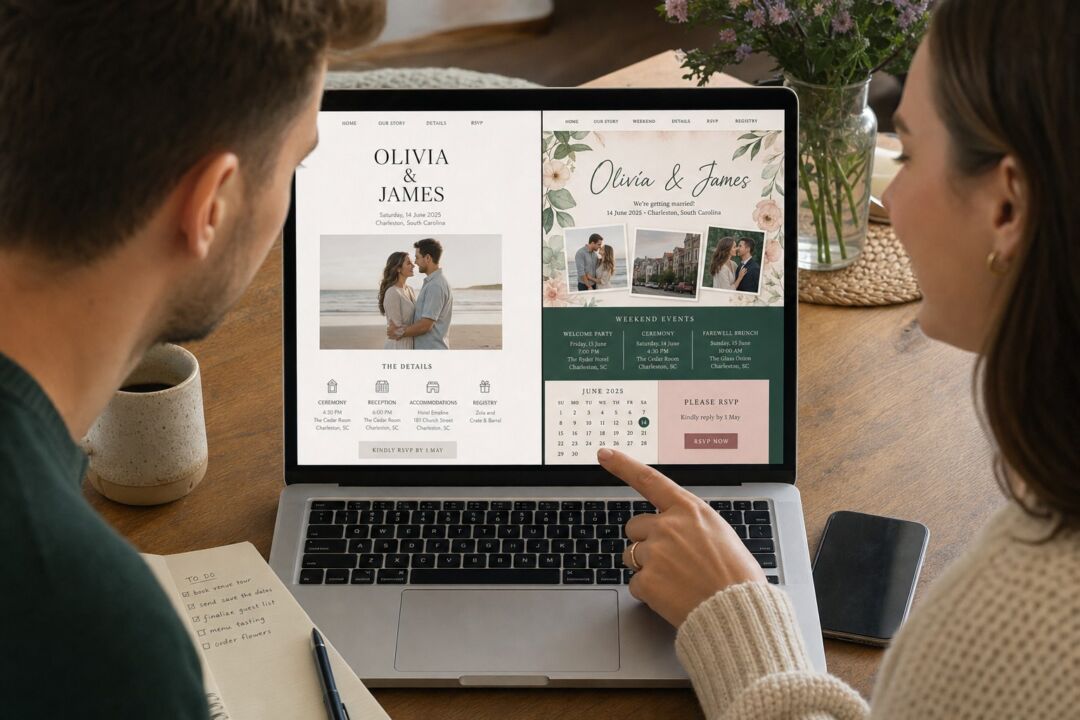

Joy
What it costs: Free for the website, RSVP, guest list, and registry tools. Joy earns through its own registry marketplace, so if you use their registry, you are the product.
The catch: In the default setup, guests are prompted to create a Joy account before they can RSVP. For tech-comfortable guests this is minor friction; for older relatives, it is a real barrier. Joy offers a guest-entry mode that bypasses this, but it requires enabling it and pre-loading your guest list.
RSVP and data: Full CSV export of guest names, RSVP status, meal choices, and custom questions. Free and built in.
Custom domain: Around $20 per year, purchased through Joy via GoDaddy (Joy help center, July 2026). Premium bundles are also listed at withjoy.com/pricing.
Design: Clean and contemporary. Good template variety, easy to customize. Premium designs available as a paid add-on.
Best for: Couples who want a free all-in-one hub and are comfortable with setup.
Zola
What it costs: Free for the website, RSVP, and registry. Custom domain from $17.99 per year (Zola domain FAQ, July 2026). Seating chart and guest texting are available as paid add-ons; check zola.com for current prices.
The catch: Zola is a registry platform first. The registry integration is strong if you use Zola for gifts and less useful otherwise.
RSVP and data: Guests do not need an account to RSVP. RSVP data exports cleanly to CSV from the desktop version.
Design: Modern, well-designed templates that Zola has kept current.
Best for: Couples also using Zola for their registry, or who want the clearest guest RSVP experience.
The Knot
What it costs: Free. The business model is vendor advertising, not subscriptions.
The catch: The platform experience is surrounded by vendor advertising. Templates lag Joy and Zola in visual quality. The guest list export includes registry contacts, vendor entries, and test RSVPs in the same file, so the CSV needs cleaning before it goes to a caterer or venue.
RSVP and data: CSV export from the guest list manager; filter for real guests before using it. Guest account requirements were not consistently confirmed as of July 2026; test the flow before sending your URL.
Custom domain: The Knot provides a free subdomain (theknot.com/us/yournames). A standalone custom domain is not clearly advertised.
Design: Serviceable but not impressive. Joy, Zola, or Minted are better choices if design matters.
Best for: Couples already in The Knot’s planning ecosystem.

Minted
What it costs: Free for the core website, RSVP, and multi-event management. Minted offers a custom vanity URL, a premium feature upgrade, and a fully custom artwork website designed with a Minted artist, each at separate price points. Minted’s product pages returned 403 errors in July 2026; check minted.com for current pricing on each option.
The catch: Minted is a stationery marketplace first. Its wedding website is genuinely good, but exists partly to keep couples in the Minted ecosystem for printed stationery.
RSVP and data: Multi-event RSVP (separate invitations for ceremony, rehearsal dinner, welcome drinks). Guest data exports as CSV.
Design: The strongest category here. Templates are designed by independent artists and stand out from the generic output of other free platforms.
Best for: Design-focused couples who want a free site that does not look like every other wedding website.
Squarespace
What it costs: $19 per month billed annually ($228 per year) for the Basic plan, per Squarespace’s July 2026 pricing update; verify at squarespace.com/pricing before signing up. Year one includes a free custom domain; check squarespace.com for current domain renewal rates. No free plan, only a 14-day free trial.
The catch: Real money for a site live for 12 to 18 months. The wedding-specific platforms above are free and, for a straightforward wedding site, nearly as capable. Squarespace makes sense if you already have an account or need design control the others cannot match.
RSVP and data: Form blocks, not a dedicated RSVP system. Responses go to email or Google Sheets. No guest list management or native registry integration.
Design: The best of any platform here if you are willing to put in setup time.
Best for: Couples who want premium design and full control and are comfortable paying.
Google Sites (the genuinely free option)
Google Sites is free indefinitely and requires no subscription. The trade-off: no RSVP tools, registry integration, photo galleries, or wedding-specific features. Add ceremony details, venue address, a Google Map, accommodation suggestions, and a registry link. For RSVPs, embed a Google Form and responses go automatically to Google Sheets.
Not pretty by default, but for a couple who only needs a URL on their invitation for guests to check venue details, it is completely functional.
Best for: Couples who need a basic information page, not a planning hub.

A printed chart at the door is still the fastest way in.



When You Do Not Need a Wedding Website
This is the question the affiliate guides do not ask. Many couples do not need one.
Consider skipping it if:
- Your guest count is under 50 to 60 people
- Most guests are local, with no accommodation logistics to coordinate
- The ceremony and reception are at the same venue
- You are comfortable collecting RSVPs via phone, text, or reply card
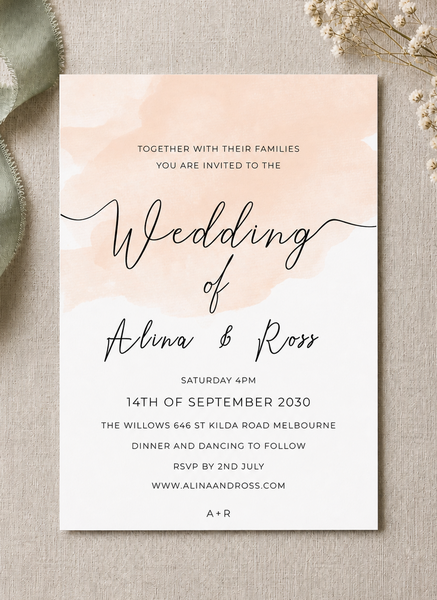
If those conditions fit, a well-designed information card in the invitation envelope handles everything guests need. Dress code, parking, accommodation suggestions, and a phone number for questions fit on a single card. RSVP cards sent in the envelope give guests a tangible, easy way to respond without needing a phone or a website.
A physical details card also solves the day-of information problem: ceremony time, reception address, and anything else guests need are in their hands before the wedding, not dependent on phone signal at the venue.
If you do build a website, our guide on what to include on your wedding website covers what guests actually look for, what to put on the page, and what to leave out.
Information cards carrying your website URL, personalized online. The $5 sample pack puts seven designs and an envelope in your hands, including real foil and letterpress, so you judge paper and finish off a screen.
Frequently Asked Questions
Is a wedding website actually free?
For Joy, Zola, The Knot, and Minted, the core website is free with no time limit. Custom domain pricing varies: Zola lists from $17.99 per year; Joy lists around $20 per year. Squarespace is not free: $19 per month billed annually as of July 2026. Confirm pricing at each platform before signing up.
Do guests need to create an account to RSVP?
On Zola and Minted, no. Guests visit the URL and enter their name to respond. On Joy in its default configuration, guests are prompted to create an account, which adds friction for older relatives. Joy has a guest-entry mode that removes this but requires extra setup. The Knot’s account requirement was not consistently confirmed as of July 2026; test it before sending your URL.
Can I take my RSVP data out of these platforms?
Yes, on all of the main platforms. Joy, Zola, The Knot, and Minted all export guest and RSVP data as CSV files. The Knot’s export requires cleaning: it includes non-guest entries (vendor contacts, registry contacts) in the same file. Squarespace data goes to Google Sheets or email notifications.
What if I want a real domain name for my wedding website?
Zola lists from $17.99 per year on its domain FAQ (July 2026). Joy’s help center lists around $20 per year via GoDaddy (July 2026). Minted offers a custom vanity URL at an additional cost; check minted.com for current pricing. Squarespace includes a free domain in year one; check squarespace.com for renewal rates. Confirm all prices before signing up.
What should I put on the wedding website?
The essentials: venue name and address, ceremony start time, RSVP instructions, registry link, accommodation suggestions for out-of-town guests, and dress code if it is not obvious. Our full guide on what to include on your wedding website covers each section in detail, including what to leave out.
Is it bad etiquette to skip the wedding website?
No. Wedding websites are a convenience, not a requirement. For a small or local wedding where you communicate directly with nearly all guests, a printed information card in the invitation envelope covers the same ground more reliably. There is no etiquette rule that requires a website.