
US: Shop US |
UK: Shop UK |
Canada: Shop CA |
New Zealand: Shop NZ
Getting meal choices onto your RSVP card sounds straightforward, until you are staring at a 4-inch card and trying to fit entree options, a dietary checkbox, a children’s meal line, and an allergy note without it looking like a restaurant menu. The wording matters as much as the layout. This guide walks you through every scenario with real examples you can copy and adapt, plus design tips for keeping the card clean when you are adding multiple fields. For the complete overview of everything that goes on an RSVP card, see our Complete Guide to Wedding RSVPs.
Meal choice wording: quick reference
- 2-option menu: Use initials in a circle or a simple checkbox line, one row, minimal space needed
- 3-option menu: Stack options vertically with a blank line at the top for name; initials work better than full labels
- Dietary restrictions: One open-fill line (“Dietary needs:”) beats a checkbox list on a small card
- Children’s meals: Separate field only if your caterer needs a count; otherwise note it on the order form
- Allergy notes: “Please note any allergies:”, brief, direct, no medical framing
- Design rule: Never add more than three distinct fields to a 4×6 card; move overflow to your wedding website
Do You Need Meal Choices on Your RSVP Card?
The short answer: only if your caterer or venue requires a confirmed headcount by entree. Many couples assume meal choices belong on the RSVP card because they have seen it done, but the decision should come from your catering contract, not convention.
When to include meal choices on the RSVP card
- Your venue or caterer requires a per-guest entree count at least 2 to 3 weeks before the wedding
- You are serving a plated, multi-course dinner with distinct protein options (chicken vs. beef vs. vegetarian, for example)
- You have a smaller guest list (under 120) and need accurate counts for portion ordering
- You are not using an online RSVP system that can collect the information separately
When you can skip meal choices on the card
- You are having a buffet, family-style service, or food stations, these formats do not need a per-guest selection
- Your caterer only needs a total headcount, not a breakdown by entree
- You are directing guests to a wedding website where they can submit their selection digitally
- You are working with a very small guest list and can collect preferences informally
If you are collecting meal choices digitally instead, see Online RSVP for Weddings for how to set this up cleanly using a wedding website form.
Checking with your caterer first
Before designing anything, email your caterer with two questions: (1) Do you need a per-guest entree selection, or just a total headcount per option? (2) How many characters or fields can you realistically work with on a 4×6 or 5×3.5 card? Their answer determines whether meal choices belong on your physical RSVP card at all, and how much space to allocate.
How to List Menu Options Clearly and Concisely
The most common mistake couples make is writing out the full dish name on the RSVP card. “Pan-seared salmon with lemon beurre blanc and roasted asparagus” uses 68 characters and crowds out everything else. Guests do not need the full menu, they need a clear, scannable choice. Save the full description for your printed menu card or wedding website.
The initials method (most space-efficient)
Assign a one- or two-letter code to each option. Guests circle or write the letter. This method is standard for formal invitations and takes up a single line.
(Beef | Chicken | Vegetarian)
The checkbox method
Checkboxes take more vertical space but are easier for older guests or anyone unfamiliar with the initials convention. Use for two-option menus where space allows.
__ Chicken __ Salmon __ Vegetarian
The inline label method
For very simple two-option menus, a single inline line keeps the card light:
From the guest’s perspective, the most confusing RSVP cards are those where the meal choice field has no clear label and guests are not sure whether they are writing a preference or a selection. Always include a short label like “Meal:” or “Entree:” so guests understand what to do. For a guest-side walkthrough of filling out a response card, see our guide on how to fill out a wedding RSVP card.
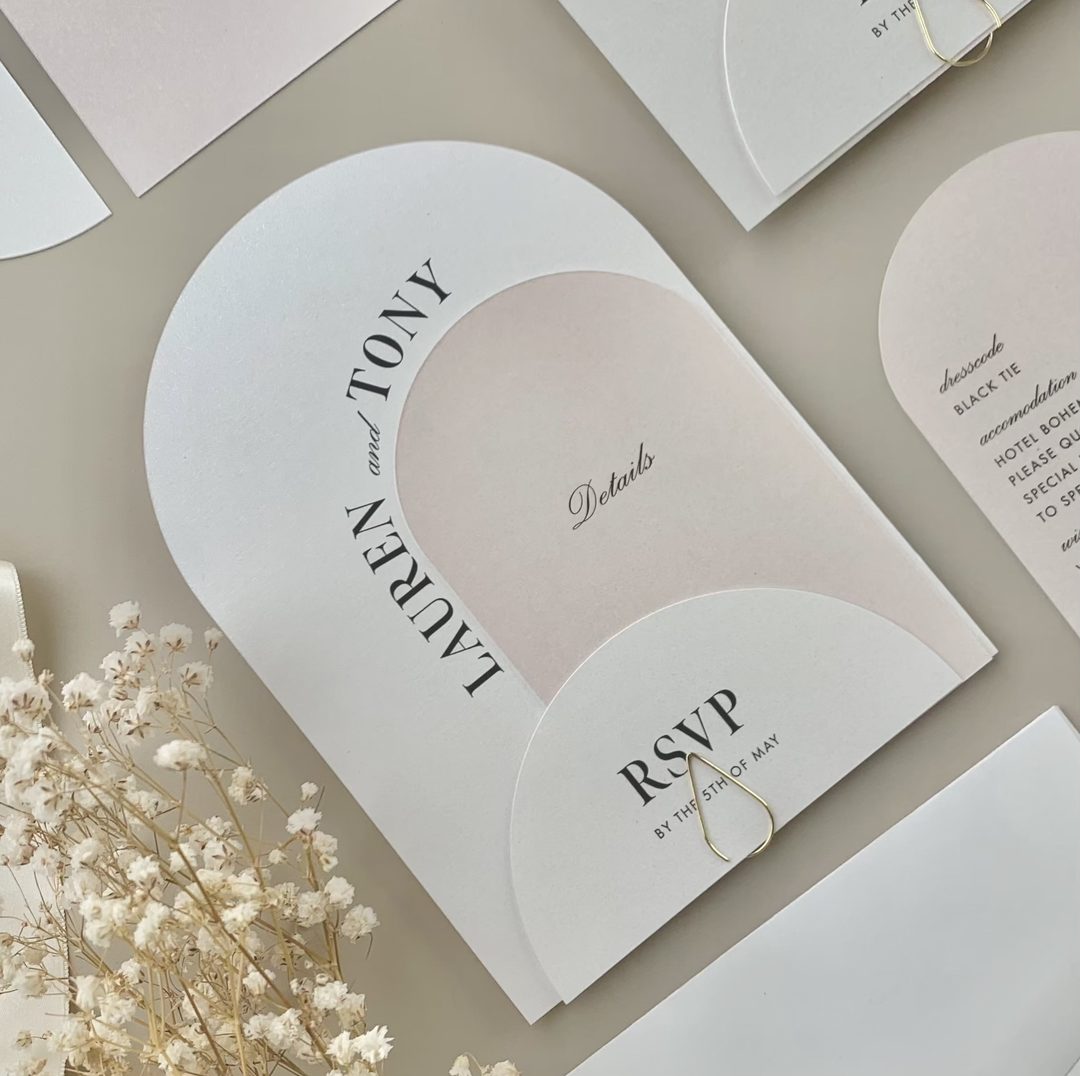

RSVP cards for dietary notes →
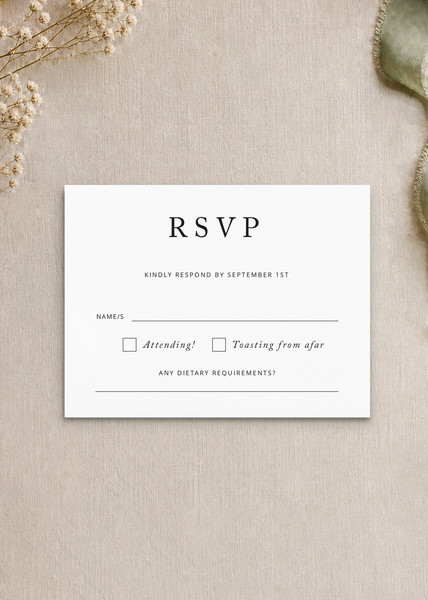
Black and WhiteDigital printing

EucalyptusDigital printing
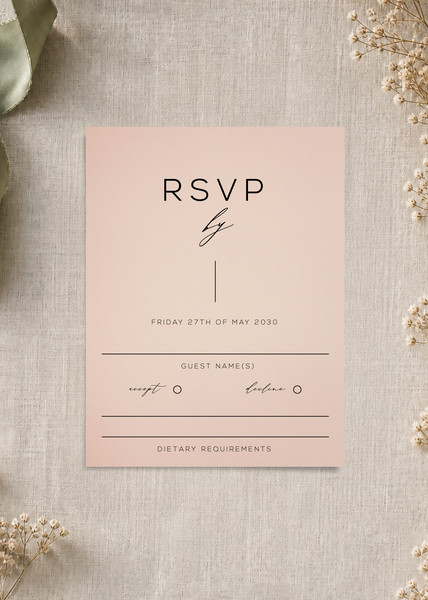
VerdeDigital printing
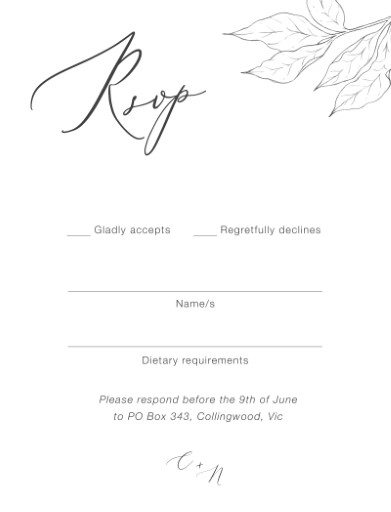
Graphite BloomsDigital printing
Formal Meal Choice Wording Examples (2- and 3-Option Menus)
Formal invitations call for restrained wording. The card text should match the register of the invitation itself: no casual contractions, no emoji-style labels, no cutesy alternatives like “What are you feasting on?”
Two-option formal wording
__ Filet of Beef __ Pan-Seared Salmon
__ Roasted Chicken __ Herb-Crusted Halibut
B (Beef) | F (Fish)
Three-option formal wording
Three options almost always require a stacked layout. Print each option on its own line with a checkbox or blank at the left margin.
__ Braised Short Rib
__ Roasted Chicken Breast
__ Wild Mushroom Risotto (V)
Filet Mignon | Salmon | Vegetarian
Including a vegetarian option clearly
Mark vegetarian options with “(V)” rather than writing “Vegetarian Entree” in full; it signals the option clearly without requiring extra space. If you have a vegan option too, use “(VG)” to distinguish from vegetarian “(V)”.
| Menu type | Recommended format | Space needed |
|---|---|---|
| 2 options, no dietary needs | Inline initials or single checkbox line | 1 line |
| 2 options + dietary field | Checkboxes + one open-fill line | 3 lines |
| 3 options | Stacked checkboxes | 4 lines |
| 3 options + dietary field | Stacked checkboxes + short fill line | 5-6 lines |
| 3 options + dietary + children | Consider moving children’s field to wedding website | 7+ lines (crowded) |
Casual Meal Choice Wording Examples
For garden parties, backyard weddings, winery receptions, or any celebration with a more relaxed atmosphere, you can loosen the language while still keeping it functional. “Feasting on” is fine. “I’ll have the…” works. The key is keeping it consistent with the rest of your stationery suite’s tone.
Casual two-option wording
__ The Chicken __ The Salmon __ Veggie Option
__ Beef __ Fish __ Vegetarian
Casual wording with a note field
__ Chicken __ Salmon __ Veg
Any dietary needs? ____________________
Playful wording examples
These work well for younger couples, brunch receptions, or casual outdoor weddings:
__ Chicken __ Beef __ Vegetarian
Use playful wording sparingly; it should match your invitation’s tone. If your invitations use classic serif typography and formal phrasing, switching to “eating my weight in chicken” on the RSVP card creates a jarring mismatch.


Wording for Dietary Restrictions and Allergy Notes
Dietary restriction wording is where most RSVP cards either overcrowd or under-inform. There are two distinct needs to separate in your mind: guests who are choosing between the available options based on preference, and guests with genuine dietary restrictions or allergies that your caterer must accommodate. These are different questions.
Open-fill line (most versatile approach)
A single open-fill line handles both preferences and allergies without requiring a long checkbox list:
This approach is the most versatile because it works for guests with complex needs (celiac disease, nut allergies, multiple intolerances) who cannot fit their requirements into a fixed checkbox set.
Checkbox list approach
If you have a high proportion of guests with specific needs and your caterer can accommodate a set list, checkboxes make the data easier to pass along:
__ Vegetarian __ Vegan __ Gluten-free __ Nut allergy __ Other: _______
The risk with checkboxes is that guests with needs not on the list may leave it blank rather than writing in the “Other” field. If your caterer needs to know about specific allergies for cross-contamination reasons, the open-fill line is safer.
Allergy-specific wording
If allergy safety is a priority (particularly relevant for nut or shellfish allergies), use explicit allergy wording rather than the general “dietary requirements” phrasing:
(We take allergy safety seriously and will share this with our caterer.)
Note: the note in brackets above can be set in small type below the fill line to reassure guests without taking up much space. Printing it at 7-8pt below the main line keeps the card clean.
Children’s Meal Options on RSVP Cards
Children’s meal fields are worth a separate section because they introduce a counting problem: you need to know not just whether children are attending, but how many and what they will eat. Fitting a second meal-selection field on the card is often impractical.
When to include a children’s field on the card
- Your caterer requires a firm children’s meal headcount for portion ordering
- You are offering a children’s menu with its own protein choice (not just a pasta/pizza default)
- Children are a significant portion of your guest list (over 15-20% of attendees)
When to skip it and use the wedding website instead
- You are only expecting a handful of children and can track their meals informally
- The children’s menu is a single standard option (fish sticks, pasta, etc.) that needs no selection
- Your RSVP card already has three or more fields and is getting crowded
Children’s meal wording examples
If your caterer only needs a count (not a selection):
(Ages 12 and under)
If your children’s menu has options:
__ Chicken tenders __ Pasta
For larger families or when the children’s count is critical:
Children’s meals (ages 12 and under): ____
Children’s entree: __ Chicken __ Pasta
Keeping the card legible with a children’s field
If you add a children’s field, reduce the font size on the meal-choice section by 1-2pt and consider using a hairline rule between the adult and children’s meal sections to visually separate them. Ask your Paperlust designer to adjust the layout; they can often fit an extra field by tightening leading and using a two-column arrangement for the meal choice lines.
Design Tips: Keeping Your Card Clean With Multiple Choices
A response card with a name field, attendance confirmation, meal choice, dietary note, and children’s field can easily become unreadable. These design principles help you include what you need without sacrificing legibility.
Prioritize by your caterer’s actual needs
Before adding any field, ask: does my caterer need this data, or am I adding it out of courtesy? Every extra field reduces the visual clarity of the card and increases the cognitive load on guests. If your caterer only needs a total headcount by entree and does not need per-guest data matched to names, you might be able to handle dietary tracking by phone rather than card.
Use initials and abbreviations strategically
Print the abbreviated label in the card body and add a small legend at the bottom in a lighter font. For example:
(C = Chicken F = Fish V = Vegetarian)
This frees up horizontal space for a longer dietary fill line below.
Two-column layouts for three or more fields
When a card needs to carry more than three fields, a two-column layout is often cleaner than a single vertical stack. Put the meal choice on the left and the dietary note on the right. Your Paperlust designer can set this up. When placing your order, use the “special request” note field to specify a two-column RSVP layout, and a designer will review your design within 1-2 business days of your order.
Consider a larger card size
Standard RSVP card sizes in the US are typically 4×6 or A2 (4.375 x 5.75 inches). If you consistently need more fields, bumping to a DL size (8.27 x 3.94 inches / 210mm x 100mm) gives you a longer horizontal span that accommodates a three-item meal line without stacking. Paperlust offers RSVP cards in multiple formats, browse the range at Paperlust wedding stationery.
Move low-priority fields to your wedding website
Your wedding website can carry a more detailed RSVP form with unlimited fields. Direct guests to it for:
- Detailed allergy specifics (type, severity)
- Song requests
- Plus-one names
- Shuttle bus participation
- Hotel block confirmation
This keeps the physical card minimal and clean, while your website form captures the operational data you actually need. For couples who prefer a printed alternative, a wedding information card included in the invitation envelope is another option, it handles venue logistics, hotel blocks, and event details without adding fields to the response card.
Print method choices that affect legibility
If your RSVP card uses digital print on 300gsm matte or premium stock, you have full flexibility on field layouts because the printing process does not constrain the design. For letterpress RSVP cards, the pressed impression is most readable on large, open text, tight label text and small checkboxes can lose legibility in the deboss. Flat foil works well for headline text and couple names but is not ideal for small-type field labels. When in doubt, use flat foil for the heading and digital print for the form fields, Paperlust can combine these on a single card. Browse the full RSVP card range at Paperlust to find a format that works with your field layout.
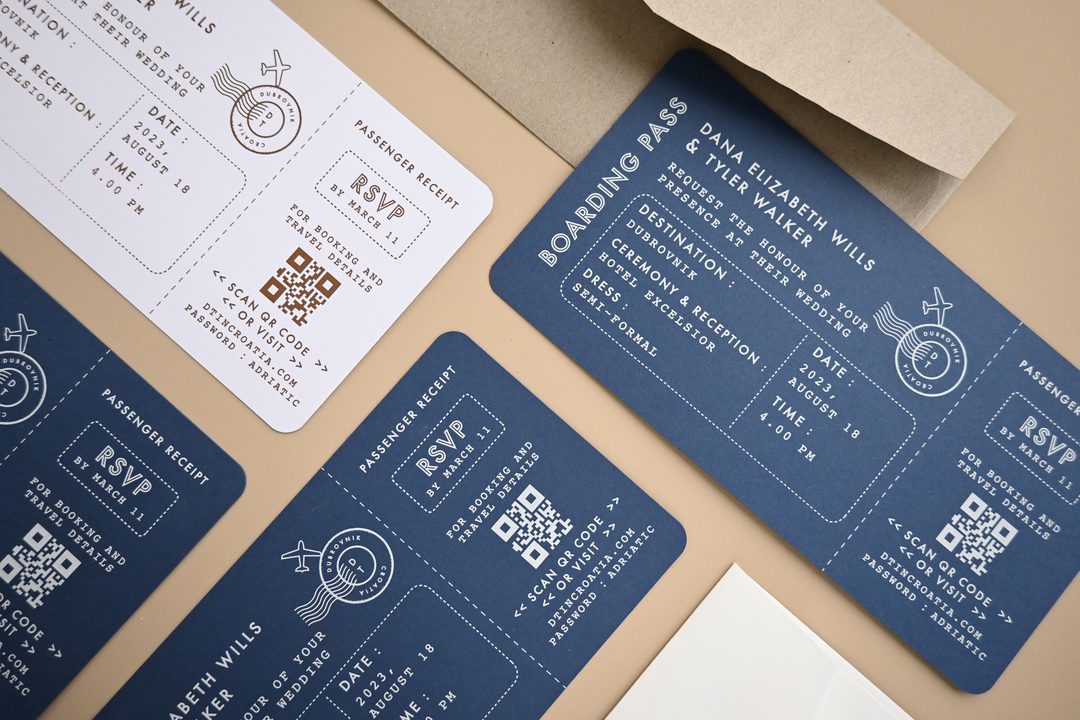
FAQ: Meal Choice Wording for RSVP Cards
Do I need to include meal choices on my RSVP card?
Only if your caterer or venue requires a per-guest entree count to prepare for the reception. Buffets, food stations, and family-style service rarely require a meal selection on the RSVP card. Check with your caterer first before adding this field.
How do I word a vegetarian option without it sounding like an afterthought?
List it at the same typographic level as the meat options. Use “(V)” as a concise marker rather than writing “Vegetarian Entree” in full. If you have both vegetarian and vegan options, use “(V)” and “(VG)” respectively, and add a small legend below the meal choice line if needed.
Can I use just initials for meal choices?
Yes. The initials method (e.g., B for Beef, C for Chicken, V for Vegetarian) is standard for formal invitations and extremely space-efficient. Print a small legend in lighter type below the choice line so guests understand the codes. Most guests are familiar with this convention from formal event invitations.
How do I word dietary restriction requests on a small card?
A single open-fill line works best: “Dietary needs or allergies: ____________________”. This handles everything from vegan preferences to anaphylactic allergies without requiring a checkbox list. Open-fill lines are more versatile than checkboxes because guests with complex needs can write exactly what they require.
Should I include a children’s meal field on the RSVP card?
Only if your caterer requires a children’s meal headcount for portion planning. If the children’s menu has a single standard option (pasta, chicken tenders), you can track children’s attendance informally rather than adding a card field. If children make up more than 15-20% of your guest list and your caterer needs selection data, a brief “Children’s meals: ____ (Chicken / Pasta)” line is appropriate.
What is the standard size for an RSVP card with meal choices?
The most common US sizes are 4×6 inches (the most space-efficient for multi-field layouts) and A2 (4.375 x 5.75 inches). If you need three meal options plus a dietary note and a children’s field, a DL format (approximately 4×8 inches) gives you more horizontal space without crowding. Paperlust RSVP cards are available in multiple formats to match your suite.
How far in advance should I send RSVP cards with meal choices?
Send RSVP cards 6 to 8 weeks before the wedding and set the reply-by deadline 3 to 4 weeks before the date. This gives your caterer time to finalize entree counts before they submit their final order. Caterers typically need confirmed numbers 2 to 3 weeks before the reception, so build in a buffer of at least 1 additional week to chase any non-responses.
Can I collect meal choices digitally instead of on a card?
Yes. Wedding website RSVP forms (via platforms like Zola, Joy, or a custom site) can collect entree selections, dietary notes, and children’s meal counts in a single form with no space constraints. If you direct guests online, you can simplify the physical RSVP card to just name and attendance, which looks cleaner and is easier for guests to complete. See our full guide to online RSVP for weddings for how to set this up.
What is the clearest wording for a two-option menu?
For a formal card: “Please indicate your entree: __ Chicken __ Salmon”. For a casual card: “I’ll be having: Chicken / Salmon (please circle)”. Both formats take up a single line. The circle method is friendlier and faster for guests; the checkbox method is slightly more formal and easier to tally on the caterer’s side.
How do I handle a guest who does not fill in the meal choice?
Leave a phone number or email address on the wedding website (or the invitation’s information card) for guests to reach you if they have questions. For non-responses, follow up by phone or email 1 to 2 weeks before your caterer’s deadline. Most caterers expect a small percentage of missing meal selections and can account for it in their preparation, but it is worth chasing your top dietary-restriction guests specifically to avoid last-minute kitchen issues on the day.
Ready to design your RSVP card?
Browse Paperlust wedding stationery, digital print, letterpress, flat foil, and more. Designer proof within 1-2 business days.