

Viewing from outside the US? Australia | United States | United Kingdom | Canada | New Zealand
Planning a wedding today rarely looks the way it did ten years ago. Most couples still send beautiful printed invitations, but when it comes to gathering responses, the majority have moved their RSVP process online. The two approaches work together better than you might expect, and understanding how to combine them is the real skill. Whether you’re just starting to research options or you’re mid-planning and rethinking your approach, this guide covers everything: how online RSVPs work, which platforms are most popular with US couples in 2026, how to word your printed invitation when responses happen digitally, and when it still makes sense to include a paper RSVP card.
- How guests respond: Via a link or QR code printed on your invitation, directing to your wedding website
- What you can collect: Attendance, meal choice, plus-one names, dietary needs, song requests
- Invitation wording: “Kindly reply at [yourwebsite.com] by [date]” or include a QR code
- Platform categories: Wedding website builders (free, integrated), standalone RSVP tools (more customizable), registry-integrated platforms
- Paper backup: Smart for guests 65+ or anyone with limited internet access. Include a phone number or mailing address as an alternative
- Deadline tip: Set your online deadline 3-4 weeks before the caterer’s final headcount is due. See our RSVP deadline guide for timing advice
- Complete RSVP guide: See The Complete Wedding RSVP Guide for etiquette, wording, and timeline
Why Couples Are Moving to Online RSVPs
The shift to digital RSVP collection has been one of the most practical changes in modern wedding planning. It’s not about cutting corners on formality. Most couples using online RSVPs are still sending beautifully printed invitations. The digital response system simply handles the administrative side more efficiently than a printed card and a self-addressed stamped envelope.
The core advantages are real. With a paper RSVP card, you typically wait until the envelope arrives, decode the handwriting, transfer the data manually to a spreadsheet, and chase anyone who forgets to mail it back. With a digital system, responses arrive in real time, automatically populate your guest list, and trigger reminder emails to non-responders on a schedule you set. Your caterer gets accurate numbers without a week of phone calls.
There’s also flexibility in what you can ask. A printed RSVP card has limited space: attendance, meal choice, maybe dietary restrictions. An online form lets you capture song requests for the DJ, hotel room preferences, accommodation needs, plus-one names exactly as they should appear on a place card, and confirmation of children’s ages for venue setup. None of that requires extra card stock or postage.
The combination that works best for most couples: a thoughtfully designed printed invitation suite (which sets the tone for your wedding), paired with a polished wedding website that handles all the response logistics.
Best Online RSVP Tools in 2026
The market for digital wedding planning tools has grown considerably over the past few years, and the category now includes several distinct types of platforms. Here’s how to think about them.
Wedding Website Builders (Integrated RSVP)
These platforms let you build a full wedding website, ceremony details, photo galleries, registry links, travel information, and accommodation options, with RSVP collection built into the same system. Guests visit your website, find the RSVP tab, and submit their response. Your dashboard updates in real time.
The main wedding website builders (you’ll recognize them as major planning platforms) all offer this feature as part of their core free tier. The key differences come down to customization depth, how well the RSVP data connects to seating chart tools, and how the platforms handle multi-event responses for couples hosting welcome dinners, day-after brunches, or multiple ceremony events.
Key features to compare when evaluating wedding website builders:
- Household grouping (can one family member respond for all guests in a household, or does each guest need to submit separately?)
- Guest code matching (do guests enter a unique code from the invite to confirm their invitation details, preventing uninvited additions?)
- Multi-event RSVP logic (can guests RSVP to a rehearsal dinner and a brunch separately from the main ceremony?)
- Automated reminder emails (can the system send a follow-up to non-responders at a date you set?)
- Meal choice capture and export
- Seating chart integration
Standalone RSVP and Form Tools
Standalone tools (purpose-built RSVP platforms or adaptable form builders) typically offer more sophisticated form logic. If your event has complex guest tiers, for example, some guests invited to the ceremony only, others to ceremony and reception, and a smaller group to a post-wedding brunch, a standalone tool with conditional logic lets you build forms that show only the relevant questions to each guest type. Professional-event-grade platforms in this category also tend to have more rigorous data privacy and export features, which matters if you’re handling a large guest list and need clean data for your catering team and venue coordinator.
Registry-Integrated Platforms
Some of the largest wedding planning platforms have built RSVP collection into a broader ecosystem that includes registry management, vendor directories, and planning checklists. For couples who want everything in one place, this is efficient. The trade-off is that some of these platforms monetize by recommending vendors and sharing anonymized data for marketing purposes, something to read the privacy policy about if that matters to you (see the privacy section below).
| Platform Type | Best For | Watch Out For |
|---|---|---|
| Wedding website builder | Couples who want a full wedding website with RSVP built in, free tier, familiar tools | Limited form customization; third-party data sharing policies vary |
| Standalone RSVP/form tool | Complex guest tiers, high guest counts, strong data export needs | No integrated wedding website; guests need to navigate to a separate form link |
| Registry-integrated platform | Couples who want registry, RSVP, and planning tools in one login | Most comprehensive platforms earn revenue from vendor referrals; review privacy settings |
The bottom line: the “best” platform for your wedding is the one that handles your specific guest list complexity and connects to the planning tools you’re already using. Most couples in 2026 are using a major wedding website builder with a free tier. The paid features rarely add enough for the average guest list size.
How to Direct Guests to Your Online RSVP: Invitation Wording
This is where the printed invitation and the digital RSVP system need to connect cleanly. Your guests receive a physical invitation that tells them where to go and how to respond. The wording needs to be clear, unambiguous, and appropriate to your formality level.
URL-Based Wording
The simplest approach is a direct URL on the invitation or on a separate details card.
at maddisonsaysi.do/rsvp
For formal invitations with traditional wording, a simple line at the base of the invitation or on a separate enclosure card keeps the response instruction from interrupting the main text. Many couples include a small enclosure card styled to match the invitation suite that contains the website URL alongside accommodation and travel details.
QR Code on the Invitation
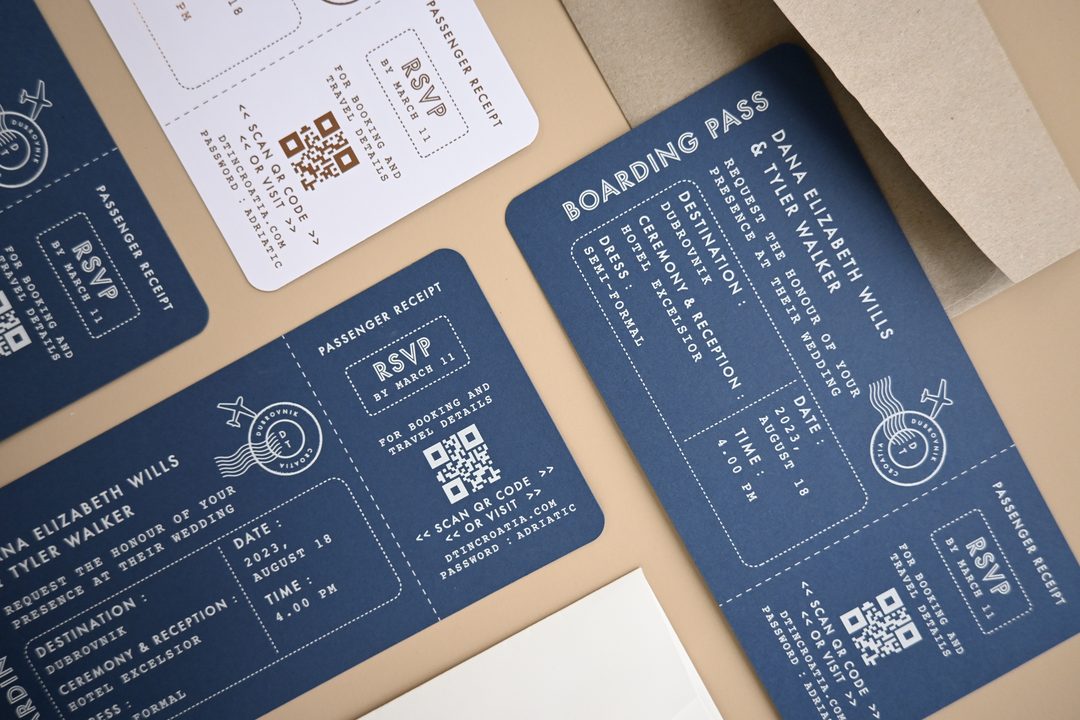
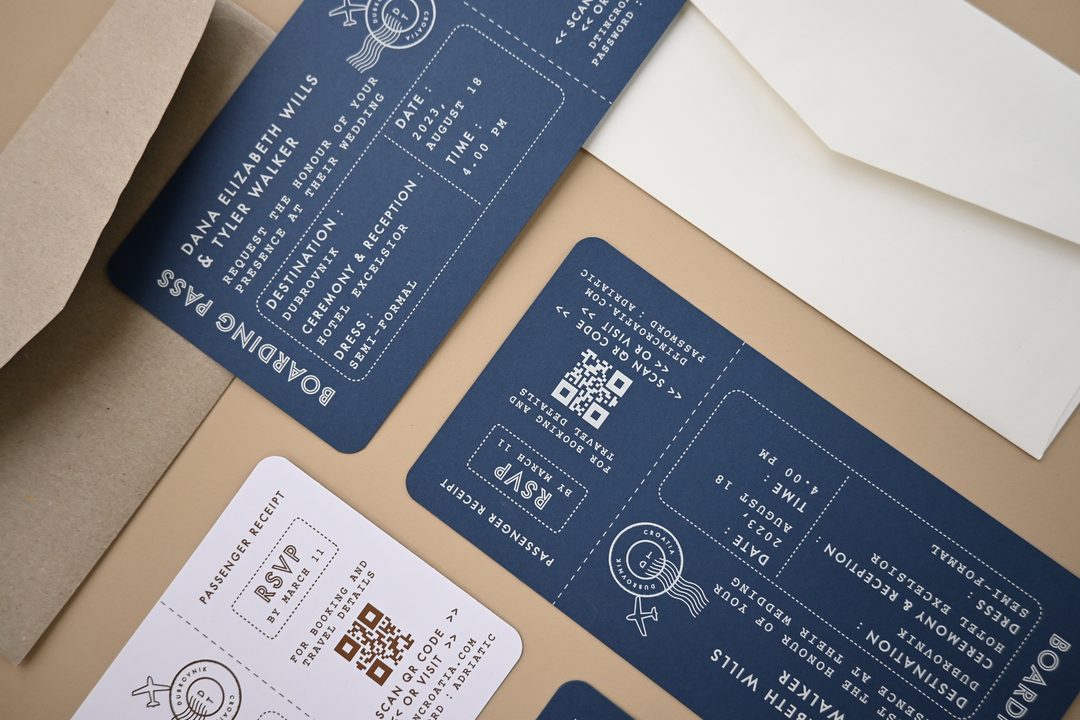
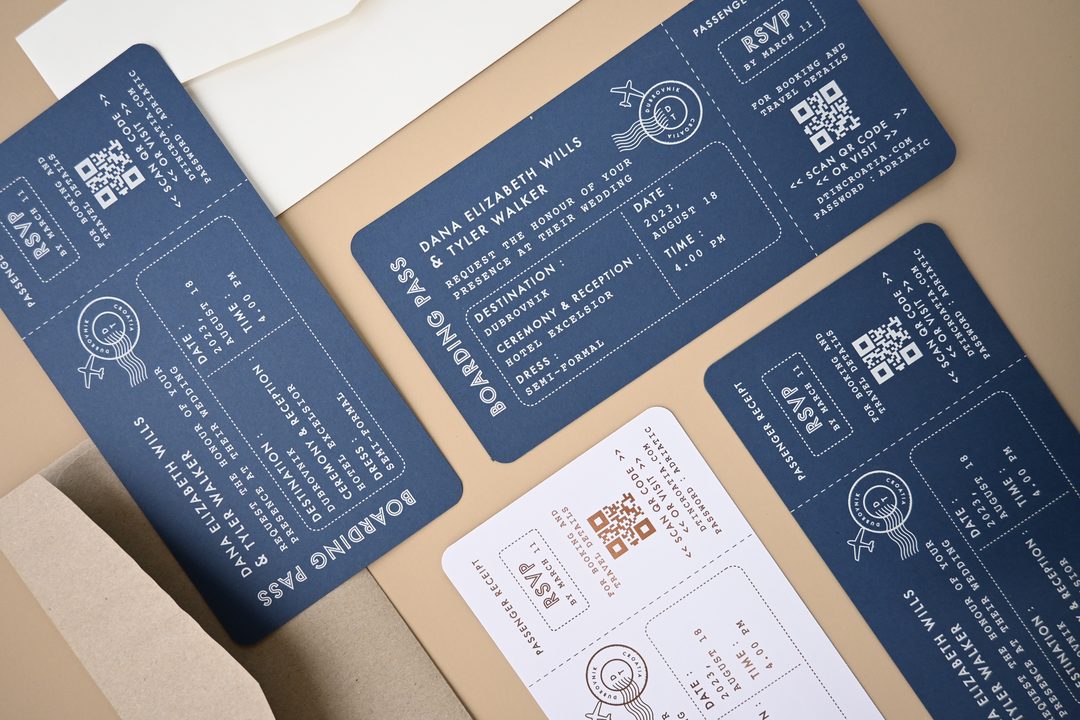
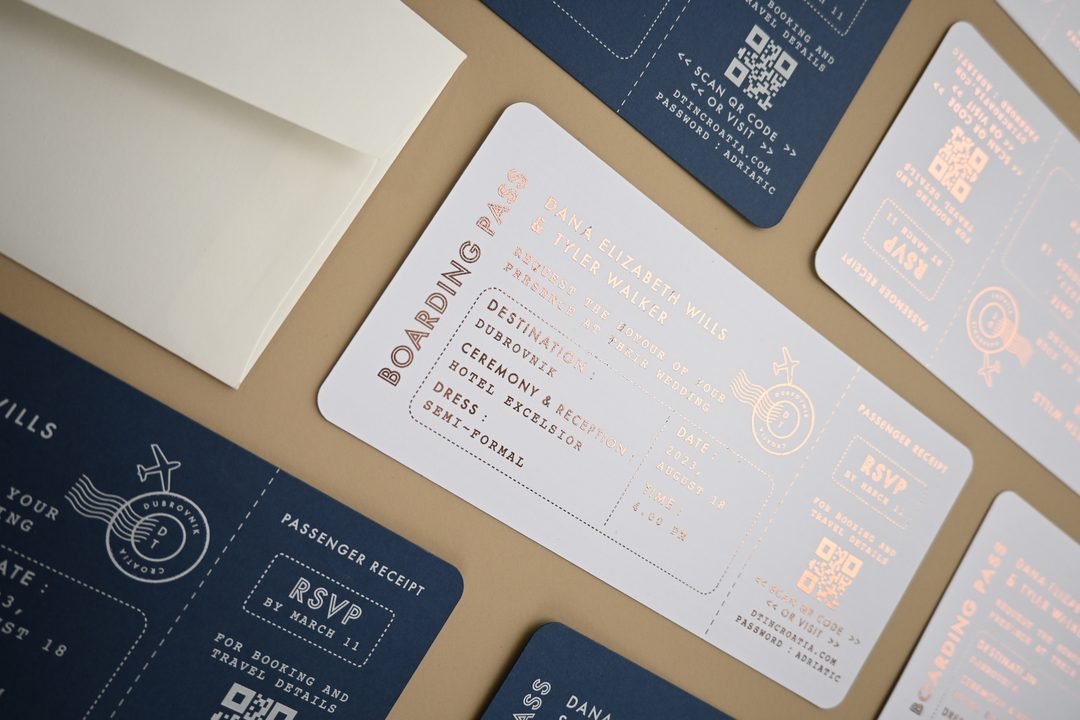
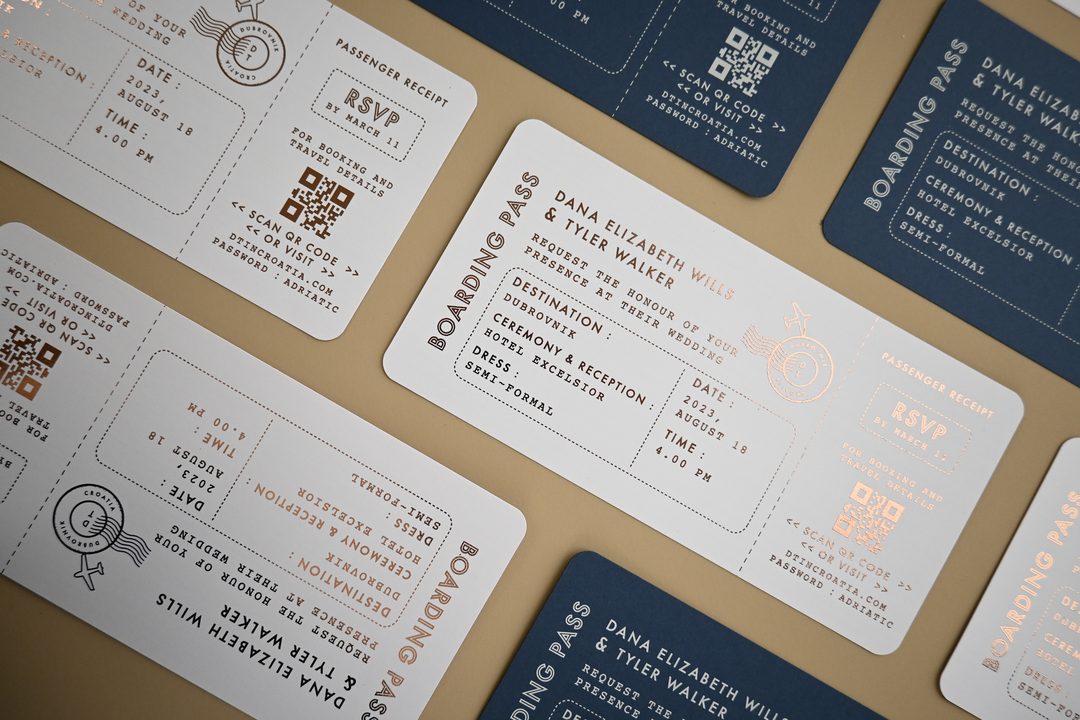
QR codes on printed invitations have become standard and are well understood by guests across age groups. The best placement is in the bottom corner of the main invitation, on a separate RSVP-direction card, or on the back of the invitation. The QR code links directly to the RSVP page of your wedding website, skipping the need to type a URL.
One practical note: print your QR code large enough to scan comfortably from a phone, at least 1 inch (25mm) square when printed. Test it before your invitations are printed by scanning from a standard phone distance.
Guest Code Systems
Some couples include a unique guest code on each invitation. Guests visit the website and enter their code, which pulls up their specific invitation details (number of seats, event access, meal options available to them). This approach prevents uninvited additions from RSVPing and ensures that dietary notes and plus-one allowances are tied to the right guest.
by June 15, 2026
Guest codes add a small logistical step when assembling your invitations (each envelope needs its specific code) but significantly reduce the “can I bring a friend?” situation at large weddings.
Wording for Formal Invitations
Traditional invitation wording uses third-person phrasing throughout. Here’s how to keep that formality while directing guests online:
at [yourwebsite.com]
on or before June 15, 2026
Collecting Meal Preferences and Plus-Ones Digitally
One of the clearest practical advantages of digital RSVP collection is the ability to gather structured data from each guest without running out of space on a card.
Meal Choices
Set up your online form with the specific meal options your caterer is offering. For most weddings, this means a dropdown or radio button selection (chicken/beef/fish/vegetarian) for each attending guest. Your form should require a selection, rather than leaving it optional, so you get complete data and don’t have to follow up.
Structure your form so that each guest attending enters their own meal preference, not just a single selection for the household. If a couple RSVPs together, both partners should select individually. Your caterer needs individual counts, not household totals.
Plus-One Names
If your invitation allows a plus-one, your online form can collect the plus-one’s name directly. This is far more reliable than hoping it appears on a paper card. Use a field labeled “Guest name” or “Your guest’s full name”, the name they enter will appear on your guest list and can feed directly into your place card order.
This is also where a guest-code system pays off: you can pre-configure which guests have a plus-one available, so the plus-one fields only appear for those guests, and no one who wasn’t invited with a guest can add one.
Dietary Restrictions and Allergies
Include an open text field for dietary restrictions and allergies, not just a checkbox for “vegetarian.” Allergies vary enormously (nut, shellfish, gluten, dairy), and your venue or caterer needs accurate detail to handle them safely. An open field captures specifics that a checkbox list never fully covers.
Children and Seating
If children are invited, add a field for “Number of children attending” with an age range option. High chairs, booster seats, and children’s meal options are venue logistics that need confirmation early. Online forms make this straightforward.
Combining Online and Paper RSVPs for Mixed Guest Lists
Not every guest on your list will be comfortable with an online response. Guests in their 70s and 80s, some elderly relatives, and anyone with limited internet access may find a digital RSVP confusing or inaccessible. A hybrid approach handles this without compromising your digital-first system.
The Hybrid Method
Include a printed RSVP card for guests where you anticipate a digital response being difficult. You don’t have to do this for your entire guest list, targeted paper cards for a subset of guests is perfectly acceptable and common. Alternatively, include a note on your invitation offering a phone number or email address as a fallback response method:
When you receive phone or email responses, manually enter them into your digital guest list. Most wedding website platforms allow manual entries alongside digital responses, so your headcount stays accurate in one place.
Designing the Enclosure Card
If you’re including a printed RSVP card for some guests, keep the design consistent with your main invitation suite. Paperlust’s wedding invitation suites include coordinated RSVP cards, information cards, and envelopes: all printed in the same method and on the same paper stock as your main invitation, so the stationery reads as a cohesive set.
For the digital guests, a separate enclosure card styled to match your invitation suite works well for hosting the URL and QR code. It keeps your main invitation text uncluttered and gives the response information enough room to be clearly readable.
Browse coordinated wedding invitation suites designed to include RSVP cards, details cards, and envelopes as a matched set.
Privacy Considerations for Digital RSVP Systems
Before you finalize your platform choice, it’s worth understanding what happens to your guests’ data. This matters more when you’re collecting names, email addresses, dietary needs, and phone numbers from dozens or hundreds of people.
What to Check in the Privacy Policy
The main questions to answer for any platform you’re considering:
- Does the platform sell or share guest data with third parties? Some major wedding planning platforms share anonymized data with vendor networks. Check whether there’s an opt-out, and whether it applies to both your data and your guests’ data.
- Is data encrypted in transit and at rest? This matters for any form collecting personally identifiable information.
- What is the data retention policy? How long does the platform hold your guests’ information after the wedding? Can you export and delete it?
- Is the RSVP form protected against uninvited submissions? An open public form can receive responses from anyone who finds the URL. Guest codes or a private wedding website help prevent this.
Steps to Protect Guest Privacy
Regardless of which platform you choose, these steps apply:
- Set your wedding website to private or password-protected before publishing. Share the password only in the invitation.
- Review the sharing and notification settings in your platform. Some platforms default to sharing wedding details with their vendor network, turn this off if you’d prefer privacy.
- Export your guest list data regularly and keep a local backup. Don’t rely solely on the platform to hold your data.
- After the wedding, review whether you want to delete your account and associated data from the platform.
When a Paper RSVP Card Still Makes Sense
Digital RSVPs are not the right fit for every couple or every wedding. There are situations where a paper card is the better choice, or where offering paper as a full option (not just a fallback) better matches the style of the event.
Very Formal Weddings
Black-tie and ultra-formal weddings with traditional stationery suites often include a printed RSVP card as part of the expected etiquette. For certain guests and family cultures, an invitation without a physical response card signals informality. If your wedding is very formal and your guest list skews toward guests who have strong expectations around stationery etiquette, a full paper RSVP suite is the right call.
Smaller Guest Lists
For weddings with 50 or fewer guests, the logistical advantage of digital tracking is less significant. At that guest count, you likely know each person personally and can follow up directly if they haven’t responded. A beautiful paper RSVP card may add to the overall experience without creating meaningful extra work.
No-Internet or Low-Connectivity Guests
If a significant portion of your guest list, not just a few individuals, has limited internet access or is unlikely to be comfortable with a digital form, a full paper suite may serve your guests better than a digital-first approach.
When Paper and Digital Work Together
The most common and most practical approach is a digital-primary system with paper as a targeted option for specific guests. Your wedding website handles the majority of responses. Printed RSVP cards go to the guests where a digital response is genuinely difficult. This is the default for most couples sending a printed invitation suite.
Your printed invitation suite is the part that guests hold, display on their refrigerator, and often keep as a keepsake. The RSVP system is the tool that helps you plan. They serve different purposes, and both can be done beautifully.
Ready to design your wedding invitation suite?
Paperlust offers 500+ exclusive invitation designs, each available with coordinated RSVP cards, envelopes, and enclosure cards, printed in Melbourne and shipped worldwide.
Frequently Asked Questions: Online RSVP for Weddings
How does online RSVP work for a wedding?
Guests receive your printed invitation with a website URL or QR code. They visit your wedding website, click the RSVP tab, and submit their response through a form. Their attendance, meal choice, dietary notes, and any other questions you’ve included are automatically added to your guest list dashboard. You can see responses in real time and set automatic reminder emails for guests who haven’t replied by a certain date.
What do I put on my wedding invitation for an online RSVP?
Include the URL of your wedding website and your RSVP deadline. A common format: “Kindly reply at [yourwebsite.com] by [date].” You can also print a QR code that links directly to the RSVP page. Place this information at the bottom of your main invitation, on a separate enclosure card, or on a details card included in the envelope.
What is the best free online RSVP tool for weddings?
The major wedding website builders all offer free RSVP collection as part of their core service. The best choice depends on your guest list size and which features matter most to you, household grouping, guest codes, multi-event logic, or seating chart integration. Most couples use the same platform for their wedding website and RSVP, so the choice is typically determined by which website template design they prefer.
Can I use a QR code on my wedding invitation for RSVP?
Yes. QR codes on printed wedding invitations are widely used and understood. Print the code at least 1 inch (25mm) square on your invitation or enclosure card, test it before printing, and include the URL text alongside the code in case anyone prefers to type it. Guests scan the code with their phone camera and are taken directly to your RSVP page.
Should I include a paper RSVP card if I’m using an online RSVP system?
Not for every guest, but consider including a paper card or a phone number as a backup for guests who are elderly, have limited internet access, or are otherwise unlikely to be comfortable with an online form. You can include paper cards selectively in specific envelopes, or include a single line on your invitation offering a phone number as an alternative response method.
How do I collect meal choices digitally?
Your online RSVP form should include a meal selection field for each attending guest. Set it as a required field so you get complete data. If you’re hosting a plated dinner with multiple options, list them as radio buttons or a dropdown for clarity. Each guest attending should select individually, don’t allow one household response for multiple guests if you need per-person meal counts for your caterer.
How far in advance should I set my online RSVP deadline?
Set your RSVP deadline 3 to 4 weeks before your caterer’s final headcount due date. That buffer gives you time to follow up with non-responders and finalize seating before your planning deadlines. Most couples set their invitation RSVP deadline 6 to 8 weeks before the wedding. See our detailed wedding RSVP deadline guide for timing by wedding size and venue type.
Is my guests’ data safe with online RSVP tools?
It depends on the platform. Review the privacy policy before committing to any tool: specifically, check whether they share guest data with third parties, how long they retain data after your event, and whether your wedding website can be set to private. Enable password protection on your wedding website, turn off any vendor-network sharing settings that are enabled by default, and export your guest data locally as a backup.