
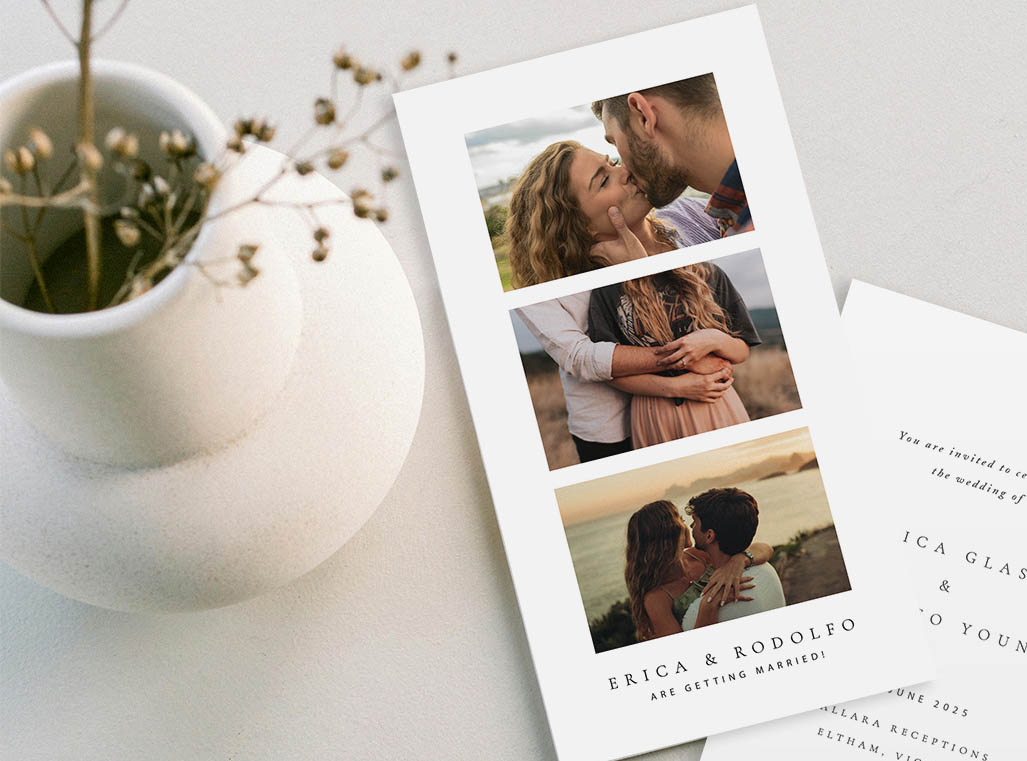
There is something about the retro photo border look that stops people mid-scroll every single time. Polaroid save the dates tap into that instant nostalgia while still putting your engagement photo front and center. If you have been hunting for ideas that feel both timeless and deeply personal, you are in the right place.
- Polaroid save the dates pair a retro film-border look with a personal engagement photo, making them the most display-friendly format couples can send.
- The white bottom panel (the “writing space” on a real Polaroid) is where your wedding date, names, and website URL go.
- Horizontal engagement photos work best; high-key (bright) lighting holds detail better than dark moody shots inside the border.
- Paperlust prints polaroid-style STDs double-sided so guests get design on the front and full wedding-date details on the back.
- Send 6-8 months before your wedding (10-12 months for destination weddings or holiday weekends).
- Pairs naturally with any invitation suite style, from boho to modern minimalist to vintage.
Why Polaroid Save the Dates Are So Popular
Few stationery formats have made as strong a comeback as the polaroid photo card. The look borrows from the iconic instant camera print: a generous white border, a slightly squared-off composition, and that distinctive bottom panel that begs to be written on. When translated into premium print stationery, the result is a save the date that feels warm, personal, and completely Pinterest-ready.
Here is why couples keep gravitating toward them.
They double as a keepsake guests actually display
Most save the dates make a brief appearance on the refrigerator, then disappear into a drawer. Polaroid-style cards are different. The recognizable frame makes them feel like a collectible. Pair one with a magnet backing at checkout and it could live on your guests’ fridges for months before the wedding itself. That visibility is genuinely valuable for destination weddings where you need guests to hold the date firm.
The format forces design simplicity
A polaroid layout has natural constraints: one dominant photo, a clearly defined white panel, minimal design flourishes. Those constraints are a gift for couples who find a blank stationery canvas overwhelming. The structure makes decisions for you, which means the final card almost always looks polished without requiring a design background.
They photograph beautifully for announcements
If you plan to post your save-the-date reveal on Instagram or share a flat-lay photo with family, polaroid cards are tailor-made for it. A handful of polaroid-style STDs fanned out on a marble surface or held over a garden is one of the most shared stationery shots on Pinterest. The format looks intentional in any photo.
They work across every wedding aesthetic
Unlike some stationery formats that lock you into a single style, the polaroid border is a neutral canvas. Layer a soft botanical illustration for a garden wedding, swap in a bold serif typeface for a modern city wedding, or keep it completely clean for a minimalist look. The photo does the heavy lifting regardless.
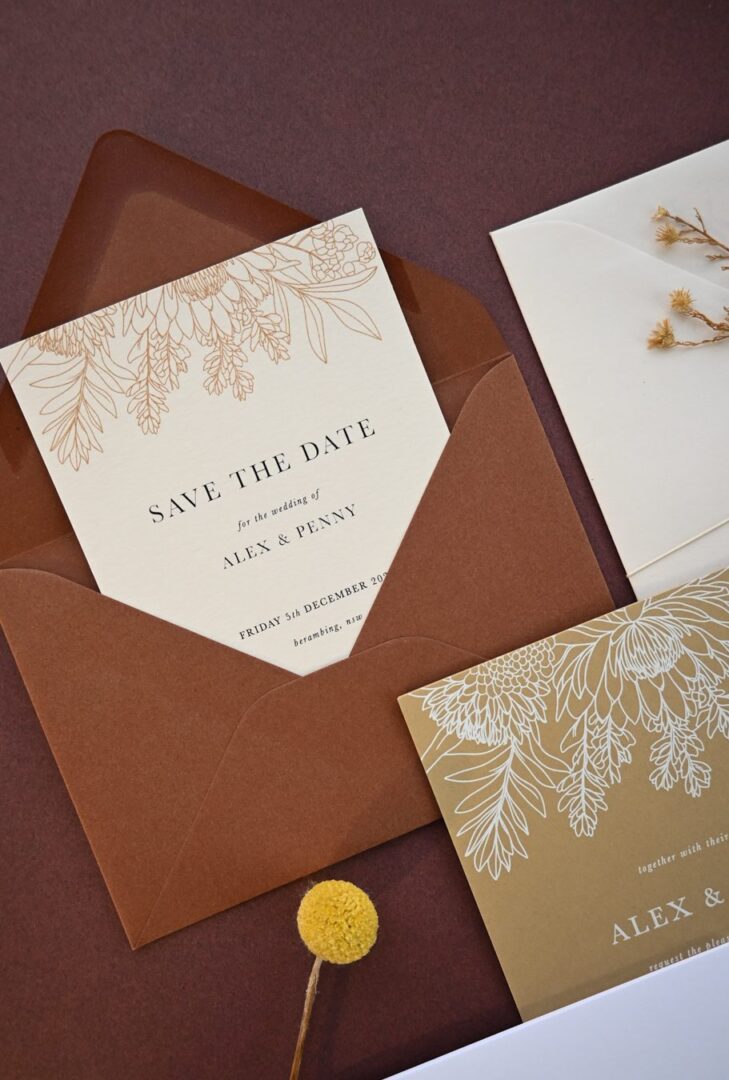

15 Polaroid Save the Date Design Ideas
Whether you are looking for something romantic, playful, or refined, these design directions cover the full spectrum of what the polaroid format can do.
1. Classic white border with handwritten-style font
The most straightforward interpretation: a clean white border, your engagement photo filling the top three-quarters of the card, and a hand-lettered script font in the bottom panel. No additional illustration needed. This is the design that converts well into a magnet.
2. Gold foil text in the bottom panel
Replace standard ink with flat foil for the date and your names in the writing panel. The contrast between the white border and a gold or rose-gold foil treatment is especially striking on high-contrast engagement photos shot in natural light. Paperlust’s flat foil method delivers a mirror-bright finish without a custom die, which keeps costs and lead times lower than letterpress.
3. Film strip layout (multiple photos)
Instead of a single photo, arrange three to four smaller images in a vertical strip inside the border, like a contact sheet from an old camera roll. This works beautifully with engagement sessions that produced a range of expressions and locations. Choose images with consistent lighting so the strip reads as intentional rather than random.
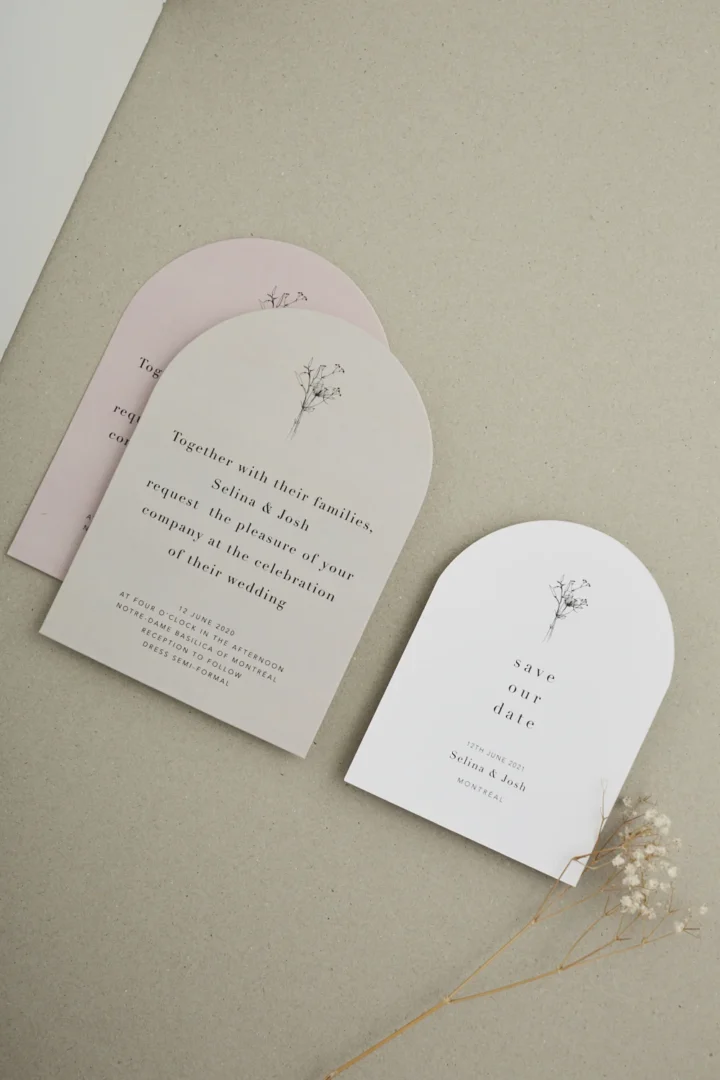
4. Arch-shaped polaroid card
A die-cut arch brings the polaroid concept into the most popular shape in contemporary stationery. The rounded top softens the geometric border and works particularly well for garden, bohemian, and venue-specific weddings where the arch echoes the ceremony structure itself.
5. Dark-border polaroid (black or navy)
Swap the standard white border for deep charcoal, black, or navy. The result is moody, editorial, and especially suited to evening weddings or couples whose engagement photos feature dramatic natural backdrops like deserts, canyons, or city nightscapes.
6. Botanical illustration overlay
Add a delicate floral or botanical illustration printed over the bottom corner of the photo, creeping up from the white panel into the image itself. This is a good choice when the engagement photos are simple portraits without a lot of environmental detail, as the illustration adds visual texture without competing with your faces.
7. Double-sided with full wedding-website details
Use the front for the photo-and-date aesthetic and the back for a complete information layout, including your wedding website URL, accommodation notes, and RSVP-by reminder. Paperlust’s double-sided printing makes this seamless, and it means the card does the work of both a save the date and a preliminary information card.
8. Retro color filter treatment
Edit your engagement photo with a warm faded film filter before uploading it to the design template. Vintage yellows and slightly desaturated tones lean into the retro camera aesthetic, making the finished card feel authentically analog rather than digital.
9. Minimal text-only bottom panel
Resist the urge to fill every available inch. A polaroid card with only your names in a clean serif and the wedding date in a small uppercase font underneath reads as deliberately considered. White space is a design choice, not a gap to fill.
10. Seasonal photo timing
Match your engagement photo to the season of your wedding. A snowy winter session for a December wedding, golden-hour autumn leaves for an October ceremony, or a beach sunset for a summer destination wedding all signal the vibe guests should expect well before the invitation arrives.
11. Metallic ink text for a subtle shimmer
For couples who want something between digital print and flat foil, metallic ink at a fifth imaging station gives the date and names a warm, shimmer finish without the mirror-brightness of foil. It is subtle enough to complement a light, airy engagement photo without competing.
12. White ink on a dark-toned card
Invert the standard polaroid palette entirely: a deep navy or black card with white ink for the border and text treatment. Works best with engagement photos shot on lighter backgrounds so the image still separates from the dark card. Reserve this for weddings with a strong, deliberate color palette.
13. Square format with a centered composition
A square polaroid card with a centered portrait, more white space around the border, and text below feels less like a traditional rectangular STD and more like a contemporary art print. It photographs well as an Instagram announcement flat-lay.
14. Collage of engagement photos with wax seal
Pair a two-image collage inside the polaroid frame with a wax seal on the envelope for an elevated send. The wax seal references the handcrafted, analog feel of the polaroid concept and signals that attention to detail extends beyond the card itself.
15. Location-specific design elements
If you are having a destination wedding, swap the bottom-panel wording layout to include a small line illustration of the venue city skyline, a palm tree, or a mountain range. The location becomes part of the design rather than just a line of text.
Choosing the Right Photo for Your Polaroid STD
The design template does a lot of work, but your engagement photo is still the star. A strong image choice makes the difference between a card that looks professional and one that feels slightly off.
Orientation and composition
Horizontal (landscape) photos are the most flexible choice for polaroid layouts. They allow the couple’s faces to appear larger and the background environment to frame the shot naturally within the border. Vertical (portrait) images can work in portrait-format cards, but tight vertical crops can feel claustrophobic inside a bordered template.
Aim for a composition where the subjects occupy the center to upper-center of the frame. Polaroid templates typically display the image in a fixed crop window, and faces near the bottom or very top edges may be partially cropped out in certain layouts.
Lighting for print
What looks stunning on a phone screen can print differently. For polaroid-style cards, high-key or natural daylight photos reproduce most reliably. Very dark, moody images (low-key sessions at dusk, heavily shadowed studio shots) can lose detail in the lighter parts of the printing process.
If your engagement session was predominantly backlit or shot at sunset, ask your photographer for a version of your chosen image with the exposure lifted slightly and shadows opened up. The goal is a print that still looks rich but holds detail across the entire image area.
Resolution and file format
Request a minimum of 300 dpi at the print size from your photographer. Most professional sessions deliver this automatically in their full-resolution exports, but it is worth confirming before ordering. A 72 dpi web-optimized image will appear noticeably soft at card size.
When uploading to a design template, prefer JPEG or PNG files over heavily compressed social media exports. The print quality ceiling is only as high as the source file you upload.
Avoiding date-specific styling
If you get engaged in winter and order your STDs quickly, be mindful of obvious seasonal markers: heavy scarves, bare deciduous trees, or holiday-specific props in the background can date the photo more than the printed wedding date itself. Couples who want the cards to feel current in six months often choose session locations with perennial greenery or neutral architectural backgrounds.
Wording Placement and Text Options
The polaroid format has a clear typographic structure that separates it from standard photo save the dates. Understanding the zones makes it easier to decide how much wording to include.
The three text zones
A polaroid-style STD typically has three places where wording appears:
- The bottom white panel (front) – primary location for names and wedding date
- The photo area (overlay) – optional, for a single short phrase like “Save the Date” in a light or foil-finished font
- The back of the card – for full details including location, website URL, and RSVP-by date
Most couples keep the front panel to four lines or fewer: a headline, both names, the wedding date, and the location at a suburb or city level. Anything more crowds the white panel and loses the clean aesthetic the format is known for.
Classic wording examples
Emma & James
September 19, 2026
Charleston, South Carolina
Olivia + Will
October 4, 2026
Hudson Valley, New York
for the Wedding of
Sophia & Daniel
June 7, 2026 | Napa Valley, CA
Including the website URL
A wedding website URL fits naturally in the polaroid white panel as the final line in a smaller font size. Keep it short by using a custom URL (most wedding website platforms let you set a custom domain like yourandme2026.com) or simply write “Visit our website for details” and place the full URL on the back.
Formal versus casual tone
The polaroid format leans casual, but the wording inside does not have to match. You can pair the retro visual with fully formal wording (“Mr. and Mrs. James Harrison request the pleasure of your company”) if your wedding is black-tie. The contrast between a warm photo format and formal phrasing creates an interesting tonal balance. Equally, a casual “Hey, save our date!” works well for micro-weddings or backyard celebrations where the format and the event feel perfectly aligned.
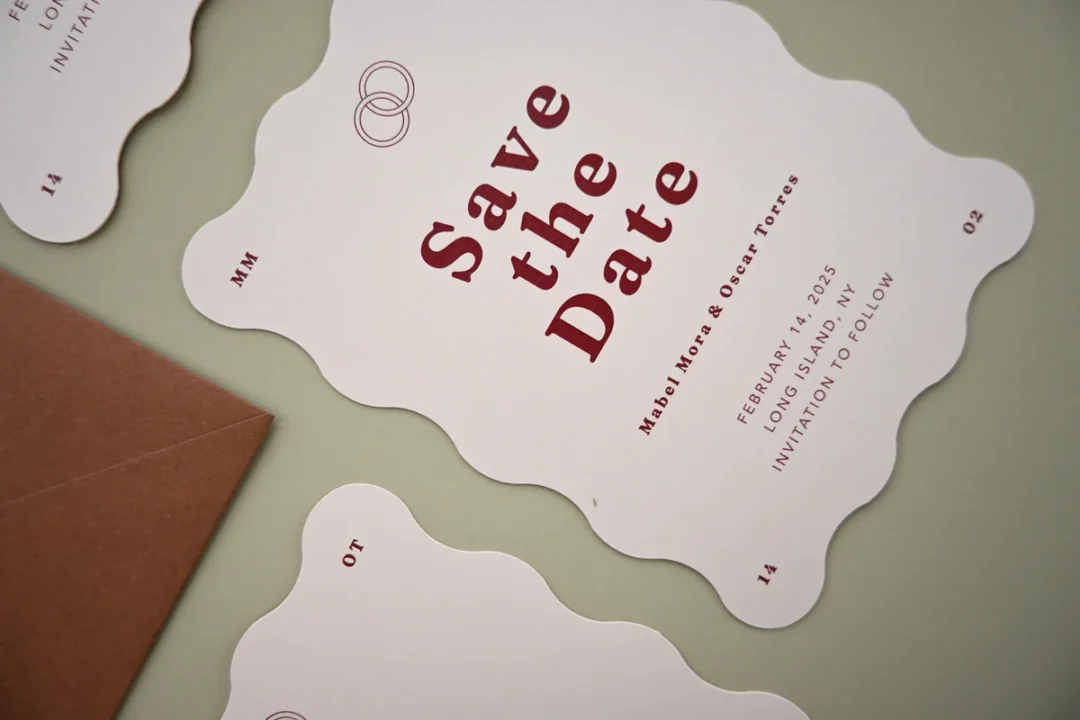
Polaroid STDs for Different Wedding Styles
The polaroid format adapts to nearly every aesthetic. Here is how to align the design choices to your specific wedding vibe.
Boho and outdoor weddings
Lean into natural texture: choose a paper stock with linen or soft matte finish, use a warm botanical illustration in the border or overlay, and select an earth-toned palette (terracotta, sage, blush, sand) for your font colors. Engagement photos taken in a field, vineyard, or woodland setting translate perfectly into the frame.
Wording suggestion: informal, lowercase, handwritten-style font. A phrase like “gather round” or a simple “we’re getting married” fits the relaxed register.
Vintage and romantic weddings
The polaroid format is already deeply associated with vintage aesthetics, so lean in deliberately. Choose a slightly yellowed or sepia-tinted engagement photo, use a script font for the name treatment, and consider a cream-colored border rather than pure white. A kraft envelope lined with pattern tissue adds another vintage layer at the mailing step.
Pairs well with: letterpress for the wording if your wedding is formal-vintage, or digital print if you want to move fast and keep costs lower.
Modern and minimalist weddings
Strip everything back: clean white border, single sans-serif typeface (ideally all uppercase or all lowercase for consistency), only four lines of text in the panel. The photo itself does all the expressive work. The design goal is restraint.
Modern couples often choose dark-border polaroid cards (charcoal or black) over white, which reads as more intentional and less traditional. Flat foil in a gold or silver finish adds a contemporary touch without adding visual complexity.
Destination weddings
The polaroid STD doubles as a postcard-adjacent announcement for destination weddings, which makes it especially practical: guests want to be reminded at a glance of where they are going and when. Add a location line on the front panel that reads clearly, and consider a photo taken at or near the destination rather than a traditional studio or urban portrait session.
Send these earlier: 10-12 months out for international destinations, 10 months minimum for domestic destination weddings during holiday periods.
Garden and floral weddings
Florals and the polaroid format are natural partners. Request an engagement session with flower-rich surroundings (a rose garden, lavender field, or flower market), and the photo alone will carry the floral theme. You can then keep the design treatment clean and let the image do the decorative work rather than layering illustrations on top of an already-busy photo.
How to Order Polaroid Save the Dates
Step 1: Browse and choose your design
Start at Paperlust’s polaroid save the date collection. Filter by print method, color palette, or shape to narrow down the options to designs that align with your wedding aesthetic. If you want a photo-card look that goes beyond the strict polaroid border, the broader collection of save the dates has arch-shape, square, and film-strip layouts as well.
Step 2: Customize your design
Upload your engagement photo, input your wording, and adjust font choices and color treatments inside the online editor. If you would like your designer to enhance your photo (brightness, contrast, minor retouching), add a note at checkout and the team will handle it as a special request.
Step 3: Select your print method and paper stock
For polaroid save the dates, the most common print method choices are:
| Print Method | Best For | Key Feature |
|---|---|---|
| Digital print | All couples; fastest option | Full color, crisp photo reproduction, most affordable |
| Flat foil | Text and design elements only; photo printed digitally | Mirror-bright metallic finish on names and date; no custom die needed |
| Metallic ink | Subtle shimmer without full foil cost | Warm gold shimmer on 5th imaging station; less mirror-bright than foil |
Step 4: Approve your designer proof
Once you place your order, a Paperlust designer is assigned to your card. You will receive a digital proof within 1-2 business days. Two rounds of edits are included at no extra charge, so use this stage to check photo cropping, text alignment, and any font or color adjustments.
Step 5: Add magnet backing (optional)
At checkout, you can add a magnet backing to any save the date design. Paperlust applies the magnet backing directly so the card arrives ready to go on the fridge. The standard magnet size is approximately 5.5″ x 4.2″ (140mm x 107mm). There is also a self-adhesive sticker option for a lower-cost alternative that customers apply themselves.
Shipping to US addresses
Orders ship from Paperlust’s Melbourne studio via DHL Express. US orders over $350 USD qualify for free DHL Express shipping. Transit to US addresses is approximately 2-4 business days after dispatch. Production time depends on the print method selected: digital print orders are typically ready faster, while flat foil finishes have a longer production window.
Pairing Polaroid STDs with Your Invitation Suite
A save the date and invitation do not have to be perfectly matched, but they should feel like they belong to the same household. Here is how to create cohesion without being too literal.
Use the same paper stock family
If your polaroid save the date is on a 380gsm premium matte stock, look for invitation designs on the same or a similar stock weight. The tactile consistency is something guests notice even if they cannot name the reason.
Carry one design element forward
Pick one visual element from your save the date and repeat it on the invitation: the same script font, the same foil color, the same botanical illustration. You do not need to match everything. One connecting thread is enough to make the suite feel planned.
Echo the color palette
If your polaroid STD uses a warm blush and gold palette, look for invitations in the same family. You have flexibility on the design style (a polaroid format and a letterpress invitation with botanical illustration can coexist easily) as long as the color language is consistent.
Coordinate envelopes across both
Paperlust includes free white envelopes with every order, and colored and textured envelope upgrades are available. If you choose a sage linen envelope for the invitation, consider the same envelope on the save the date to bookend the mailing experience.
Browse our full range of save the date cards to find styles that complement your invitation suite. The wedding invitations browse page makes it easy to cross-reference designs across both product types.
Ready to find your design?
Browse polaroid save the dates at Paperlust
500+ exclusive designs, real designer proofs within 1-2 business days, and 100% happiness guarantee.
Frequently Asked Questions
What is a polaroid save the date?
A polaroid save the date is a printed stationery card designed to mimic the look of an instant camera print. It features a prominent photo (typically your engagement photo), a wide white border, and a distinct bottom panel where your names, wedding date, and wedding location are printed. Unlike a real Polaroid photo, these are professionally printed cards on premium paper stock with sharp, color-accurate reproduction.
How far in advance should I send polaroid save the dates?
Send your polaroid save the dates 6-8 months before your wedding date. For destination weddings, holidays, or long weekends, 10-12 months gives guests maximum time to arrange travel and accommodation. The earlier you send, the more confident you can be that the date stays clear in people’s schedules.
Can I add a magnet to a polaroid save the date?
Yes. Paperlust offers magnet backing as a checkout add-on for any save the date design, including polaroid-style cards. You can choose a pre-applied magnet (Paperlust applies it before shipping, so the card arrives ready for the fridge) or a self-adhesive magnet sticker that you apply yourself. The standard magnet size is approximately 5.5″ x 4.2″ (140mm x 107mm).
What information goes on a save the date?
A save the date should include your names, the wedding date, and the general location (city and state is sufficient at this stage). You do not need to include a venue address, ceremony time, or RSVP information on a save the date. A wedding website URL is a helpful optional addition if you have one set up. Full details come with the formal invitation, which is typically sent 6-8 weeks before the wedding.
Do polaroid save the dates need to match the invitations?
They do not need to be an exact match, but the two should feel cohesive. The most effective approach is to carry one design element forward: the same typeface, a shared color palette, or the same foil finish. This creates a sense of intentional design without requiring you to order both products from the same exact template range.
What print methods work best for polaroid save the dates?
Digital print is the most popular choice because it reproduces the engagement photo with the most accuracy and at the best value. Flat foil is often added for the name and date text in the white panel, creating a metallic accent without obscuring the photo. Metallic ink is a good middle option, offering a subtle shimmer on the text at a lower price point than full flat foil.
How long does it take to receive polaroid save the dates from Paperlust?
After placing your order, you will receive a digital designer proof within 1-2 business days. Once you approve the proof, production begins. US orders ship via DHL Express and arrive approximately 2-4 business days after dispatch. Factor in your proof review time when setting your order date relative to when you want to mail the cards.
Can I use any engagement photo for a polaroid save the date?
Yes, you can upload any engagement photo. For the best print result, use a high-resolution image (at least 300 dpi at print size), avoid heavily compressed social media exports, and favor photos with balanced lighting over very dark or very high-contrast images. Paperlust’s designers can make minor photo enhancements such as brightness and contrast adjustments as a special request at checkout.