
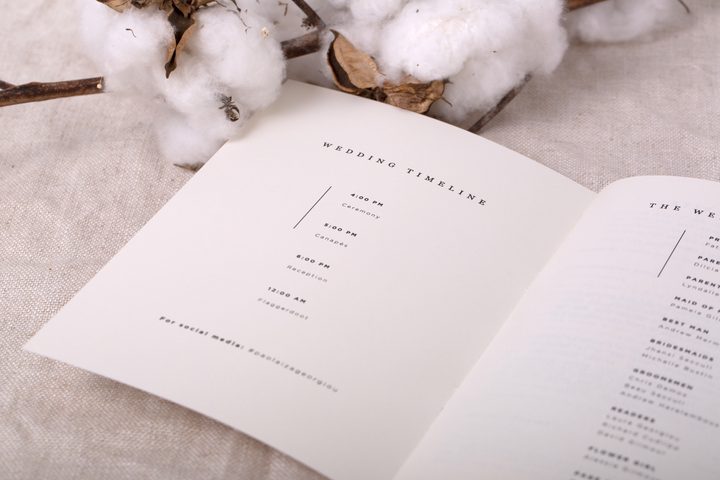
For many couples, the ceremony program feels like a small detail next to flowers, venues, and catering. But it is the one item every guest holds throughout the ceremony itself, and it sets the tone before a single vow is spoken. This guide walks you through everything involved in designing and printing your own programs at home, from choosing the right design tool to cutting 200 folded sheets without losing your mind.
Before diving in, this is part of a broader series on ceremony programs. For the full design guide covering all formats, wording, and ordering options, see Wedding Ceremony Programs: The Complete Guide. And before you start designing, it is worth knowing exactly what to include: What to Include on a Wedding Program.
| Factor | DIY at Home | Order Professionally |
|---|---|---|
| Cost per program (100 qty) | $0.40 – $1.20 | $1.50 – $4.00+ |
| Time required | 6 – 15 hours total | 30 – 60 min to order |
| Paper quality ceiling | 80lb text / 100lb cover | 300 – 600gsm specialty stocks |
| Print method options | Inkjet or laser only | Digital, flat foil, letterpress |
| Best for | Tight budgets, small guest lists, crafty couples | Large guest lists, premium finishes, time-pressed couples |
| Risk level | Medium (printer jams, color shifts) | Low (proofed before printing) |
Key takeaways: DIY works well for guest lists under 80 and simple single-sheet or bi-fold formats. For tri-fold programs, fan programs, or any order over 100, the assembly time and print quality gap makes professional printing worth the cost difference.
Is DIY Right for Your Wedding Program?
The honest answer depends on three variables: your guest count, your chosen format, and how much you value your time in the weeks leading up to the wedding.
When DIY makes sense
- Guest list under 80. Printing 80 double-sided sheets and folding them is an afternoon of work. Printing 200 is a two-day project with likely reprints for jams and misfeeds.
- Simple format. A single-sheet program or a basic bi-fold is DIY-friendly. A tri-fold with three distinct text panels requires precision layout and consistent folding across every copy.
- Budget is the primary constraint. DIY programs can cost $0.40 to $1.20 per program all-in, compared to $1.50 to $4.00+ for professionally printed equivalents.
- You or a family member genuinely enjoys craft projects. The cutting, scoring, and folding process takes several hours. If this sounds like fun rather than a chore, DIY is a good fit.
When professional printing is the smarter call
- Guest list over 100. Assembly time scales linearly. 150 tri-fold programs at 90 seconds each is nearly 4 hours of folding alone, not counting printing and cutting.
- You want specialty paper or finishes. Home printers cap out at standard cardstock (around 100lb cover weight). Letterpress, flat foil, thick cotton stocks, and vellum require commercial equipment.
- Your wedding timeline is already tight. DIY programs require at least 2 – 3 weeks of lead time for design, test prints, paper sourcing, final printing, and assembly.
- Color accuracy matters. Home printers vary considerably in how they render colors, particularly golds, deep navies, and blush tones. What looks perfect on screen may print cooler or muddier than expected.
If you are on the fence, consider a hybrid approach: design your programs yourself using a template, then send the finished file to a local print shop or an online printer for the final production run. You save on design fees without taking on the full printing burden.
Design Tools and Free Templates for DIY Programs
You do not need professional design software to create a ceremony program that looks polished. The tools below cover every skill level from complete beginner to experienced designer.
Canva (Recommended for beginners)
Canva has a dedicated wedding program template library with dozens of free options covering single-sheet, bi-fold, and tri-fold layouts. Key things to know before you start:
- Set your document size correctly before adding any content. A standard bi-fold program is 8.5 x 11 inches [216 x 279mm] when flat, folding to 4.25 x 11 inches [108 x 279mm].
- Use the “Print bleed” toggle (found in File > Page Setup) to add a 0.125-inch [3mm] bleed around the edges. Without bleed, you risk white lines on trimmed edges.
- Download as PDF Print (not PDF Standard) for the sharpest output.
- Free tier is sufficient for most program designs. Canva Pro unlocks more fonts and stock elements, but the free library covers most styles.
Adobe Express (Formerly Adobe Spark)
Adobe Express offers clean, minimal templates and better font control than Canva. It is free with an Adobe account. The export quality is comparable, though the template library for wedding programs is smaller.
Microsoft Word and Google Docs
For simple single-sheet programs, Word and Google Docs work fine. They are not ideal for bi-fold or tri-fold layouts because margin and column controls are limited, but for a straightforward list of ceremony elements in a single column, both handle the job adequately. Use a table with hidden borders to create a two-column layout if needed.
Adobe InDesign (For experienced users)
InDesign gives you full control over bleed, typography, and layout. It is overkill for most couples designing their own programs, but if you or someone in your family has access to it, the output quality is noticeably superior. Export as PDF/X-1a for printing.


Sourcing free templates
- Canva template search: Search “wedding program” within Canva. Filter by free to limit to no-cost options.
- Etsy: Many designers sell editable Canva or PowerPoint program templates for $5 – $15. These are often more refined than free options and include matching stationery sets (RSVP cards, menu cards, place cards).
- Creative Market: Similar to Etsy for digital templates, with a wider range of premium options.
Whichever tool you use, do a full test print before finalizing the design. Print one copy, fold it, and hold it the way a guest would. Check that margins look even, text is not cut off near fold lines, and fonts render clearly at the intended size.
Choosing the Right Paper: Weight, Finish, and Texture
Paper choice is where most DIY programs either succeed or fall apart. The right paper makes a simple design feel elevated. The wrong paper can make even a professional-quality design look cheap or difficult to read.
Paper weight: what the numbers mean
Paper is measured in pounds (lb) in the US. The two scales you will encounter are text weight and cover weight. They use different base sheet sizes, which means the numbers are not directly comparable, 80lb text is lighter than 80lb cover.
| Paper Weight | Feel | Best For | Home Printer Compatible? |
|---|---|---|---|
| 60lb text | Thin, floppy | Not recommended | Yes, but poor results |
| 80lb text | Standard printer paper feel, slightly heavier | Single-sheet inserts, inner pages | Yes |
| 100lb text | Noticeably heavier, holds up well folded | Bi-fold programs, single sheets | Yes, check printer specs |
| 65lb cover | Light cardstock feel | Folded bi-fold or tri-fold programs | Yes for most inkjet printers |
| 80lb cover | Solid cardstock, substantial feel | Bi-fold and tri-fold covers, single luxe sheet | Check specs, many home printers max at 80lb |
| 100lb cover + | Premium thick cardstock | Professional results, hard to fold cleanly | Often no, check your printer manual |
The practical minimum for folded programs is 80lb text. Lighter paper droops in guests’ hands and the fold line looks soft. For a single-sheet program (no fold), 80lb text works fine. For any folded format, 100lb text or 65lb cover gives a noticeably more polished result.
Finish: matte vs. glossy
- Matte: The standard choice for wedding programs. Easy to read, minimal glare, and takes ink well from both inkjet and laser printers. Writes on easily with a pen if guests want to take notes.
- Satin/Semi-gloss: A middle ground. Slight sheen without the reflectivity of full gloss. Can look elegant if the design uses photography or dark backgrounds.
- Glossy: Not recommended for text-heavy program designs. Glare makes small text harder to read, and fingerprints show easily on programs that are held throughout a ceremony.
Texture and specialty papers
Linen-textured and laid paper stocks add a tactile quality that plain matte paper cannot match, and they are widely available in 80lb and 100lb text weights at most office supply stores. Vellum (a semi-transparent paper) is popular for overlay pages and translucent cover sheets, but it requires testing with your specific printer before committing to a full run, vellum can jam certain feed mechanisms and the ink adhesion varies significantly by brand.
Avoid glossy photo paper entirely for programs. It is designed for photo prints, not text documents, and ink from standard cartridges often smudges on the surface.
Format Guide: Bi-Fold, Tri-Fold, Fan, and Single-Sheet
The format you choose determines both the design complexity and the assembly time. Here is a practical breakdown of the four most common program formats couples create at home.
Single-sheet programs
- Flat size: 5 x 7 inches [127 x 178mm] or 4.25 x 5.5 inches [108 x 140mm]
- Best for: Short ceremonies, minimalist aesthetics, very small guest lists
- Home DIY difficulty: Low
- Notes: A half-sheet (4.25 x 5.5 inches) prints two per 8.5 x 11 sheet, making it the most economical option. Content must be brief, typically 10 – 14 lines of ceremony elements.
Bi-fold programs
- Flat size: 8.5 x 11 inches [216 x 279mm] (folds to 5.5 x 8.5 inches [140 x 216mm])
- Best for: Most weddings, the right balance of content space and printability
- Home DIY difficulty: Low to moderate
- Notes: The most popular format. Prints on a single 8.5 x 11 sheet and folds in half. Use a bone folder tool ($5 at a craft store) to score the fold line before folding for a clean crease. Design as a 4-panel document (front cover, inner left, inner right, back cover).
Tri-fold programs
- Flat size: 8.5 x 11 inches [216 x 279mm] or 8.5 x 14 inches [216 x 356mm] (legal size) for more content
- Folded size: Approximately 3.67 x 8.5 inches [93 x 216mm]
- Home DIY difficulty: High
- Notes: Tri-folds offer six panels and are ideal for weddings with bilingual elements, large wedding parties, or detailed itineraries. The challenge is consistent, accurate folding across 100+ copies. Use a paper scoring tool and a straight edge. Without a proper score, the fold line often cracks or misaligns on heavier stocks.
Fan programs
- Size: Typically 3.5 x 8 inches [89 x 203mm] (paddle shape) or 5 x 7 inches [127 x 178mm] rounded
- Best for: Outdoor summer weddings where guests want something to fan themselves with
- Home DIY difficulty: High
- Notes: Fan programs require cutting each sheet to a paddle or rounded shape and attaching a wooden stick to the bottom. The cutting is time-consuming at scale. A circle punch or die-cut machine (like a Cricut or Silhouette) makes this significantly faster. Budget for stick sourcing separately, craft stores sell bags of wooden popsicle sticks inexpensively.
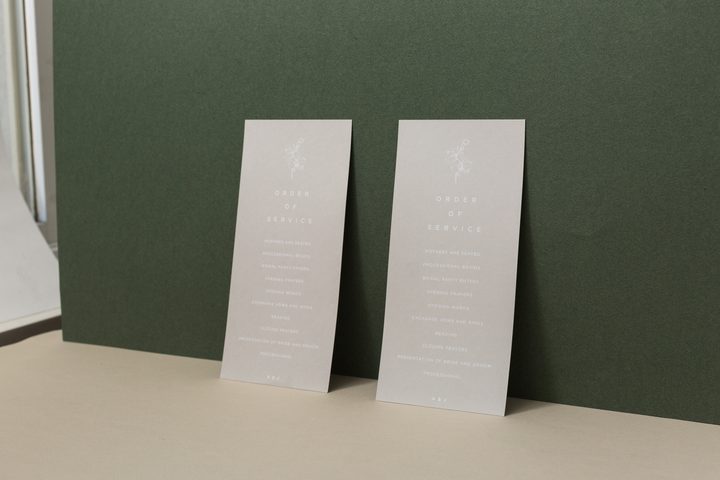
Printing at Home vs at a Local Print Shop
Even if you design your own programs, you have a choice about where they get printed. Home printing is not always the cheapest or most practical option, and it is worth understanding the tradeoffs honestly.
Home inkjet printer
- Pros: Lowest upfront cost for small quantities, full control over reprinting, convenient
- Cons: Ink costs add up quickly (a full ink cartridge set can cost $30 – $50 and may only cover 30 – 50 full-page duplex prints on photo-quality settings), color consistency varies across a print run, most home printers cannot handle paper heavier than 80lb cover, and home printers are not designed for runs of 100+ sheets without overheating or jamming
- Best for: Quantities under 60, test prints, short-notice changes
Home laser printer
- Pros: More consistent color across a long run compared to inkjet, toner costs are lower per page than inkjet ink, better for large text blocks
- Cons: Color laser printers that handle cover-weight paper are not common in households, black-and-white laser printing looks flat for designs with detailed typography or photography, and toner does not adhere well to all specialty papers
- Best for: Black-and-white or simple two-color designs, quantities up to 100
Local print shop (office supply store or copy center)
- Pros: Access to heavier paper stocks and better color calibration than home printers, no risk of your printer jamming at 11pm the night before the wedding, staff can help with bleed settings and file prep
- Cons: You pay per page (typically $0.15 – $0.50 per page for color, depending on paper), you lose some control over last-minute changes, color matching is not guaranteed without a proof check
- Best for: Quantities of 75 – 150 where home printing is impractical, or when you want heavier paper without owning a heavy-duty printer
- Tip: Always do a single-page test print and check it in the store before approving a full run. Ask specifically about color calibration if your design has any metallic-look elements or gradient backgrounds.
Online professional printer
- Pros: Access to specialty stocks, consistent quality, and competitive pricing at scale (often cheaper per-unit than local copy shops for quantities of 100+)
- Cons: Lead time (typically 5 – 10 business days plus shipping), no same-day reprints if an error is found after delivery, file spec requirements can be strict (bleed, color mode, PDF format)
- Best for: Quantities of 100+ where you want professional-grade results without the assembly burden of full professional design
If you want the design flexibility of doing it yourself but need specialty paper, structured formats, or print methods beyond standard digital printing (like flat foil or letterpress), professional wedding program printing makes more sense. Browse Paperlust wedding programs to see what is possible with professional printing at various price points.
Cutting, Folding, and Assembling Programs in Bulk
This is the part of DIY programs most guides underplay. Cutting and folding 150 programs is a different experience from cutting and folding 10. Planning this stage in advance will save hours and prevent frustration in the final week before your wedding.
Tools that make the process significantly faster
Paper trimmer (guillotine or rotary)
- A guillotine trimmer with a 12-inch [305mm] cutting width handles 8.5 x 11 sheets without multiple passes.
- A rotary trimmer (like a Fiskars or Swingline) is more precise for single-sheet cuts but handles only a few sheets at a time.
- Most trimmers handle 10 – 15 sheets per pass. For 150 programs, that is 10 – 15 passes minimum, manageable, but budget the time.
- Do not try to trim more sheets than the trimmer is rated for. Overloading a trimmer produces uneven cuts and can damage the blade.
Bone folder or scoring tool
- Essential for clean bi-fold and tri-fold creases. A bone folder costs $5 – $8 at any craft store.
- Score first, then fold. Scoring compresses the paper fibers along the fold line, preventing the characteristic cracking that happens when you fold unscored cardstock.
- For tri-folds: measure and mark the fold points lightly in pencil before scoring, then erase any visible marks after folding.
Paper creasing tool or scoring board
- A scoring board (under $30) includes guides for common fold positions and speeds up the scoring step significantly compared to using a ruler and bone folder manually.
Assembly workflow for a bi-fold program (100 copies)
- Print all 100 sheets (front side first, let dry 2 – 3 minutes for inkjet before flipping).
- Stack in batches of 10. Check for any misfed or smudged sheets and set aside for reprints.
- Run each batch through the trimmer if any trimming is needed.
- Score the center fold line on each sheet using a bone folder and straight edge.
- Fold each sheet along the scored line, pressing firmly from the center out to the edges to prevent air pockets.
- Stack finished programs flat under a heavy book for 15 – 20 minutes to set the crease.
Realistic time estimates for 100 bi-fold programs: Printing takes 45 – 90 minutes depending on your printer’s speed. Scoring and folding takes approximately 60 – 90 minutes if you are working alone. Add 30 minutes for quality checks and reprinting any damaged sheets. Total: 2.5 – 3.5 hours.
For 150 or more programs: Plan two sessions or recruit a helper. The folding stage is the most physically repetitive part and produces better results when you take breaks.
Time and Cost Breakdown: DIY vs Professional Printing
The financial comparison between DIY and professional printing depends heavily on your quantity, format, and paper choice. Here is an honest breakdown based on 100 bi-fold programs as a baseline.
DIY cost breakdown (100 bi-fold programs)
| Item | Estimated Cost | Notes |
|---|---|---|
| 100lb text paper (500-sheet ream) | $18 – $30 | You use 100 – 120 sheets (extras for test prints) |
| Printer ink (inkjet, color) | $20 – $40 | Highly variable by printer model and design complexity |
| Template (if purchased) | $0 – $15 | Free options on Canva; Etsy templates run $5 – $15 |
| Bone folder + scoring tool | $5 – $15 | One-time purchase, reusable |
| Paper trimmer (if you don’t own one) | $20 – $45 | One-time purchase, reusable for other projects |
| Total material cost | $63 – $145 | Excludes tools you already own; lower on subsequent print runs |
| Cost per program | $0.63 – $1.45 | Plus 3 – 5 hours of your time |
Professional printing cost (100 bi-fold programs)
| Option | Cost Range (100 qty) | Notes |
|---|---|---|
| Office supply store (self-service print) | $30 – $60 | You still handle folding and assembly |
| Online print shop (your design file) | $60 – $120 | Better paper options, arrives folded in many cases |
| Paperlust digital print programs | From $2.04 per card | Professionally designed or upload your own file; designer proof included; free DHL Express on orders over $350 USD |
| Paperlust flat foil programs | Price varies by design | Mirror-bright foil accents on specialty stocks, not achievable at home |
| Paperlust letterpress programs | Price varies by design | Debossed impression on 300 – 600gsm Wild Cotton; minimum 50 programs |
The hidden cost of DIY: your time
The material cost comparison above makes DIY look like the clear winner. But the real cost calculation includes time, and in the final weeks before a wedding, time is genuinely limited.
A realistic time breakdown for DIY printing 100 bi-fold programs:
- Design time: 3 – 8 hours (depending on how much customization you do and how many revision rounds you run with your partner)
- Test prints and adjustments: 1 – 2 hours
- Final print run: 1 – 2 hours
- Scoring and folding: 1 – 2 hours
- Quality check and reprints: 30 – 60 minutes
- Total: 6 – 15 hours over multiple sessions
If an hour of your time in the month before your wedding is worth $30 to you, the time cost alone ($180 – $450) often exceeds the material savings. That is not an argument against DIY, it is just an honest accounting. Many couples find the design process enjoyable and consider it part of the wedding preparation experience rather than a cost.
The quality ceiling matters for certain couples
If your wedding aesthetic includes metallic details, rich dark paper stocks, or handcrafted tactile finishes, DIY printing cannot match what commercial equipment produces. Flat foil requires heat-transfer equipment that does not exist in home printers. Letterpress requires a printing press and purpose-cut dies. Thick cotton stocks (like the 600gsm Wild Cotton Paperlust uses for letterpress programs) will jam most home printers and many office printers too.
If the rest of your stationery suite has a foil or letterpress finish, consider ordering professional programs to match rather than creating a visual mismatch between your invitations and your ceremony programs. Your programs are the only printed item guests see at the ceremony itself.
Considering a fully paperless option instead? See Digital Wedding Programs and QR Code Cards for an honest look at how QR code programs work and when they make sense.
Frequently Asked Questions
What paper weight should I use for DIY wedding programs?
Use at least 80lb text weight for any program you plan to fold. For bi-fold and tri-fold programs, 100lb text or 65lb cover gives a noticeably more substantial feel. Most home inkjet printers handle up to 80lb cover; check your printer manual before buying heavier stocks.
What is the standard size for a bi-fold wedding program?
A standard bi-fold program starts at 8.5 x 11 inches [216 x 279mm] flat and folds to 4.25 x 5.5 inches [108 x 140mm]. For a slightly more elegant proportion, some couples use 5.5 x 8.5 inches [140 x 216mm] (half of a letter sheet), which folds to 5.5 x 4.25 inches, a more square, modern format.
Can I print wedding programs on my home printer?
Yes, for simple formats and quantities under 80. Home inkjet printers handle 80lb text and most 65lb cover stocks well. For heavier paper or quantities over 100, a local copy center or professional printer produces more consistent results without the risk of printer jams and color drift across a long run.
How far in advance should I print DIY programs?
Allow at least 2 – 3 weeks before the wedding for DIY programs. This gives you time to finalize wording after confirming readings and ceremony participants, run test prints, order paper, complete the full print run, and handle any reprints needed for damaged sheets. Do not leave printing until the final week.
How do I avoid color shifting between test prints and the final run?
Print at the same quality setting every time (use “Best” or “High Quality” rather than “Normal” to minimize variation). Print the same number of sheets per session rather than printing in short bursts throughout the day. Ink coverage affects how much ink the cartridge delivers per page, and partial cartridges sometimes print slightly differently than full ones. For the most consistent color, run the final print in one continuous session.
What is the cheapest way to print wedding programs?
A single-sheet half-page format (4.25 x 5.5 inches [108 x 140mm]) prints two per sheet, cutting paper costs in half compared to a bi-fold. Use a free Canva template and standard 80lb copy paper for the lowest possible cost. For 100 programs, total material cost can be under $25 this way, though the result will look simpler than a folded program on specialty stock.
How do I score paper for folding without a bone folder?
A butter knife, a ballpoint pen with no ink, or the edge of a ruler all work as improvised scoring tools in a pinch. Run the edge along a straight line where the fold will go, pressing firmly enough to compress the paper but not hard enough to cut through it. Scoring along a metal ruler is easier to keep straight than freehand. A dedicated bone folder ($5 – $8) is worth buying if you are folding more than 50 sheets.
Is it cheaper to order professional programs than to print DIY?
For quantities over 100, professional printing is often comparable in total cost to DIY once you factor in paper, ink, and tools, and professional programs arrive fully finished without the 3 – 5 hours of assembly time. DIY is most cost-effective for quantities under 60, or when you want to use a specific paper stock you already own.
Can I use a Cricut or Silhouette machine for wedding programs?
Yes, for cutting fan programs, shaped programs (arch, oval, paddle), or programs with die-cut windows or edges. You still need a separate printer for the text content, Cricut and Silhouette machines cut and score but do not print. The combination of a home printer for the text layer plus a cutting machine for shaping is a popular setup for fan programs.
What if I want foil or letterpress on my programs but like designing myself?
Paperlust allows you to order from their existing template library or upload your own design file. If you want to create the layout yourself but have it professionally printed with flat foil or letterpress, you can submit your own artwork and Paperlust’s designers will review it and provide a proof within 1 – 2 business days. Browse wedding programs to see the available print method options.
Browse Paperlust Wedding Programs
500+ designs across digital, flat foil, and letterpress print methods. Designer proof in 1-2 business days.
Order a $5 sample pack to feel the paper quality before you order