

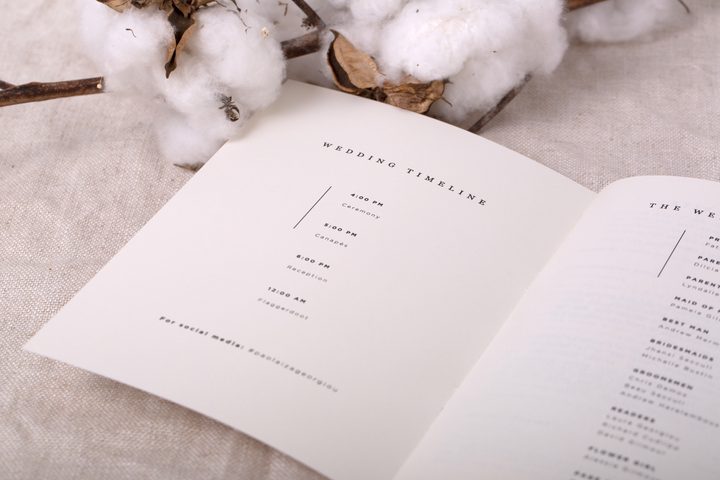

More couples in 2026 are choosing to skip the stack of printed programs and go digital instead. A small card with a QR code takes up less room in your guests’ laps, generates no waste, and can be updated right up until the ceremony. But digital programs come with real trade-offs, and a fully paperless approach can leave older relatives confused at the door. This guide explains exactly how digital wedding programs and QR code ceremony cards work, how to build one for free, and when a hybrid printed-plus-digital approach gives you the best of both worlds.
For the full programs design and printing guide, see Wedding Ceremony Programs: The Complete Guide.
- A digital wedding program is a webpage or PDF your guests view on their phones during the ceremony.
- A QR code ceremony card is a small printed card (handed at the door or placed on seats) with a scannable code that opens the digital program.
- Free tools for building the program page include Canva, Google Sites, and your wedding website platform (e.g., Zola).
- The hybrid approach pairs a Paperlust printed QR card with a digital program, so guests who prefer paper still hold something tangible.
- Tech barriers are real: plan a brief-printed fallback for guests who struggle with QR scanning.
- Digital vs. printed vs. hybrid comparison table is in the Pros and Cons section below.
What Is a Digital Wedding Program?
A digital wedding program is the ceremony order-of-service presented on a screen rather than on paper. Guests access it by visiting a URL on their phone, scanning a QR code, or navigating to your wedding website during the ceremony. The content is identical to a printed program: the processional order, names of the wedding party, readings, vows, music selections, and any notes you want guests to follow along with.
The format can take several shapes:
- A dedicated webpage built in Google Sites, Canva, or your wedding website platform (Zola, Wix, The Knot site tools, etc.)
- A PDF uploaded to Google Drive or Dropbox and shared via a short link
- A page within your existing wedding website, e.g., yourdomain.com/ceremony
- A QR code printed on a small card that links to any of the above
The QR code card version is the most practical for in-person ceremonies: guests do not need to know your URL in advance. A volunteer (or a basket at the entrance) hands each guest a palm-sized card as they arrive, they scan the code, and the program opens instantly.
QR Code Wedding Programs: How They Work in Practice
The mechanics are simple, but the details matter on the day.
Step 1: Build the digital program page first
- Create your program as a webpage or PDF (more on free tools in the next section).
- Publish it and note the direct URL.
- Test that the page loads quickly on a mobile browser with no login required.
Step 2: Generate a QR code
- Use a free QR generator (QR Code Monkey, Adobe Express QR tool, or Canva’s built-in QR widget).
- Paste in your program URL.
- Download the QR image at the highest resolution available (PNG at 1000px or higher).
- Always test the generated code with two different phone models before ordering cards.
Step 3: Print the QR card
- The card needs to be large enough that guests can comfortably aim their camera at the code. A standard 4×6″ card or DL format (4.33×8.5″) works well.
- Include a short instruction line like “Scan to open the ceremony program” so guests understand what they are holding.
- Optionally, include your names, wedding date, and venue so the card is a keepsake even if the URL eventually goes offline.
If you have already designed your QR card in Canva or with a designer, you can upload your own design and have it professionally printed on premium stock to match your invitation suite.
Step 4: Distribute at the ceremony
- Hand cards at the door (one per couple or per guest, your choice).
- Alternatively, place one card on each chair ahead of time.
- Have a small stack of brief printed text programs as backup for guests who cannot scan.
How to Create a Digital Wedding Program: Free Tools and Options
You do not need to pay for software. Here are the three most reliable free routes in 2026.
Option 1: Canva (easiest, most design control)
- Open Canva’s free account and search for “wedding program” templates.
- Customize the layout, add your names, ceremony order, and wedding party names.
- Use Canva’s “Publish as website” feature to generate a live URL guests can visit, or export as a PDF and host it yourself.
- Canva’s website option gives a clean mobile experience with no app required.
- Limitation: the URL is a canva.com subdomain (e.g., yourname.my.canva.site/ceremony). It works perfectly well, though it may feel less branded than a custom domain.
Option 2: Google Sites (cleanest mobile experience)
- Go to sites.google.com and create a new blank site.
- Add a single page titled “Ceremony Program” or your preferred heading.
- Add each section of the program as a text block: processional, readings, vows, recessional.
- Publish the site (it goes live at sites.google.com/view/your-site-name).
- Google Sites renders cleanly on all mobile browsers and loads quickly on patchy venue Wi-Fi or cell service.
Option 3: Your wedding website program page (most integrated)
- Platforms like Zola include a built-in “ceremony schedule” or “our day” section that can function as a program page.
- Add your ceremony details, uncheck any RSVP gate so guests can access it without logging in, and share that direct page link in your QR code.
- Advantage: keeps everything in one place for guests who already have your wedding website bookmarked.
Option 4: PDF on a shared link
- Design your program in Canva, Adobe Express (free tier), or even Google Docs.
- Export as PDF, upload to Google Drive, and set sharing to “Anyone with the link can view.”
- Generate a QR code pointing to the Drive share link.
- This approach works well if you want a landscape booklet style that would be harder to replicate in a webpage.
Deciding what content goes inside? See What to Include on a Wedding Program for the complete rundown.
How to Tell Guests About Your Digital Program Before the Wedding
Guests who arrive expecting a paper program and find only a QR code can feel disoriented, especially if they are not confident with smartphones. A small amount of pre-ceremony communication solves this completely.
On your wedding website
Add a line to your FAQ or logistics section: “Our ceremony program will be available digitally via a QR code card at the entrance. If you prefer not to use a smartphone, brief printed copies will also be available.”
On your information card
If you are sending a printed invitation suite with an information card (hotel, directions, RSVP details), add one sentence: “The ceremony will include a digital program accessible via QR code.”
On the day-of signage
A small sign at the ceremony entrance can read: “Welcome. Your ceremony program is on the card being handed out at the door. Scan the QR code to open it on your phone.” This catches any guest who missed the advance notice.
With your ushers or wedding party
Brief anyone handing out cards to say the sentence aloud as they distribute: “This opens the ceremony program on your phone.” That verbal cue removes almost all hesitation.
The Hybrid Approach: Printed QR Code Cards and Digital Programs
The most successful digital program setups in 2026 are not paperless. They are hybrid: a beautifully designed, physically printed card that guests keep, plus a full digital program that lives at the URL the card links to.
This approach solves the biggest objection to going fully digital: guests who want something tangible. A well-designed QR card feels like a keepsake. It has your names, your date, maybe a little illustration or your wedding color palette. Guests slip it into a pocket or purse rather than dropping it in the nearest bin after the ceremony.
From a practical standpoint, the card needs to do three things well:
- Be scannable: The QR code must be large enough (at least 1.5 inches square on the printed card) and printed with enough contrast to scan reliably in a sunlit outdoor ceremony or a dimly lit chapel.
- Carry your branding: The card should match your invitation suite in palette, typography, and paper stock so it looks intentional rather than an afterthought.
- Work as a standalone memento: Even if the URL eventually goes offline, the card itself should be worth keeping. Include your names and wedding date as minimum identifying information.
Paperlust’s wedding programs are designed to match your full stationery suite. You can customize a program card with your exact color palette, typography, and any design elements from your invitation set, then include the QR code as part of the design. The result is a card that looks like it belongs with the rest of your wedding stationery rather than something printed on a home inkjet at the last minute.
Pros and Cons of Digital vs Printed Ceremony Programs
| Feature | Fully Digital (URL only) | Printed Program | Hybrid (Printed QR Card + Digital) |
|---|---|---|---|
| Cost | Free to create; no printing | Printing cost per guest | Lower print cost than full program (card only) |
| Eco-friendliness | Zero paper waste | Paper use (offset by plant-a-tree orders) | Minimal paper; higher reuse/keep rate |
| Guest accessibility | Requires smartphone + data/Wi-Fi | No tech needed | Card covers non-tech guests; digital for the rest |
| Last-minute edits | Update anytime before or during ceremony | Print run locks content | Digital page updates freely; card is fixed |
| Keepsake value | Low (phone notification cleared) | High (guests keep booklets) | Medium-high (card is keepable) |
| Design cohesion | Dependent on your web design skill | Matches full suite when ordered from same stationer | Card matches suite; digital can be simpler |
| Connectivity dependency | Requires cell or venue Wi-Fi | None | Digital relies on signal; card works offline |
Tech Barriers: What Happens If Guests Cannot Access It?
This is the most common concern couples raise. The honest answer: some guests will not be able to scan a QR code, whether because of an older phone, unfamiliarity with the feature, low battery, or simply not having mobile data at your venue. Planning for this is not pessimistic; it is good hosting.
Who is most likely to struggle
- Guests over 70 who do not use QR codes in daily life
- International guests who may have data roaming turned off
- Guests with older phones running outdated iOS or Android versions (QR scanning requires the native camera app on iOS 11+ or Android 9+)
- Anyone whose phone battery is nearly dead by arrival
The brief printed fallback
Print 20-30 brief single-sheet text programs as a fallback. They do not need to be designed, just typed and laser-printed. Hand them only to guests who ask, or quietly offer them to anyone who looks confused at the entrance. This covers the gap without abandoning the digital-first approach.
Venue connectivity: test it ahead of time
Visit your venue at the same time of day as your ceremony at least once before the wedding. Test whether your phone has reliable cell data in the ceremony space. If signal is weak, contact the venue about Wi-Fi access for guests, or use a QR code generator that supports offline caching (some allow guests to pre-load the page before entering the venue).
If you are at a rural or outdoor venue
A fully digital program without any backup is risky at a remote outdoor venue or a barn with no Wi-Fi. In that case, either use a brief printed program (see the DIY option in DIY Wedding Programs: How to Design and Print at Home) or use the hybrid card approach and accept that some guests will rely on the card’s printed details rather than the digital page.
Digital Wedding Program FAQs
What is a digital wedding program?
A digital wedding program is the ceremony order-of-service displayed on a webpage or PDF that guests view on their phones. It contains the same information as a printed program (processional order, wedding party names, readings, music) and is typically accessed by scanning a QR code at the door.
What is a QR code wedding program?
A QR code wedding program is a small printed card handed to guests at the ceremony entrance. Guests scan the QR code with their phone camera, which opens the full digital program in their browser. The card itself is printed (usually matching your invitation suite) while the program content lives online.
How do I create a digital wedding program for free?
The three most popular free options are Canva (use the “publish as website” feature), Google Sites (create a single-page site with your ceremony order), and your existing wedding website platform. Each creates a shareable URL you can convert to a QR code using any free QR generator.
What should I include on a digital wedding program?
Include everything you would put on a printed program: the ceremony order, names and roles of the wedding party, officiant’s name, readings (titles and speakers), music selections, and any notes to help guests follow along. See our full guide to what to include on a wedding program for a complete checklist.
What size should a QR code card be?
A standard card format (4×6 inches) or DL card (4.33×8.5 inches) works well. The QR code itself should be at least 1.5 inches square on the printed card to scan reliably, with good contrast between the code and the background.
Can I update a digital wedding program after printing the QR cards?
Yes. The QR code points to a URL, not the content itself. As long as you update the page at the same URL, any guest who scans the card will see the updated program. This is one of the main advantages over printed programs: you can correct typos or make last-minute changes to the running order right up until the ceremony starts.
What if guests cannot scan QR codes?
Print a small number of brief single-sheet text programs as a quiet backup, and have ushers offer them to any guest who looks uncertain. Planning for 10-15% of your guest count is a reasonable estimate. Most guests who struggle simply need the help offered to them; very few will object to the digital format itself.
Is a digital wedding program eco-friendly?
Yes, a fully digital program generates no paper waste. A hybrid approach (printed QR card + digital program) uses significantly less paper than a full printed booklet per guest. Paperlust also plants a tree with every order, so even the printed card component is offset.
Can I use my wedding website as a digital program?
Yes. Most wedding website platforms include a ceremony schedule or “our day” section that can serve as a digital program. Set that specific page to be publicly accessible (no RSVP login required), copy the direct URL, and generate a QR code pointing to it. This is the most integrated option if guests already have your wedding website bookmarked.
Do Paperlust QR code cards match my invitation suite?
Yes. Paperlust’s wedding program cards are designed to coordinate with your full stationery suite. You can customize the palette, typography, and layout to match your invitations, then incorporate the QR code as part of the design. Proofs are delivered within 1-2 business days.
Ready to order your QR code ceremony cards?
Browse Paperlust’s wedding programs, customize to match your suite, and receive your proof within 1-2 business days.